Agenda 23 brings Apple Watch, Contacts integration, and Send to Agenda

It’s been a busy year, and today we’re delighted to release Agenda 23 for Mac, iPad, and iPhone. This one is a big one — three substantial new premium features, a brand new platform, four new languages, and a lot of polish under the hood.

Agenda on Apple Watch

The biggest news first: Agenda now runs on Apple Watch.

It’s not a tiny clone of the iPhone app. The Watch app is a focused companion, built around the moments when you just want to glance at a list or tick something off. You pick a handful of notes to pin to your wrist as Favorites — a packing list, a shopping list, your morning routine — and they’re always one tap away, in sync with all your other devices. Alongside that, the Relevant section surfaces notes that matter right now based on dates and recent edits, just like the iPhone widget does.

You can tick off checklist items straight from the watch, and add new paragraphs by dictation — including new checklist items, bullets, and numbered list rows. Changes sync back to your iPhone within a few seconds.

See the new Apple Watch How-To for the details.

Contacts integration

People have always been first-class citizens in Agenda — @Anna, @Bob, @(Tom Groothuis) — but until now those were just tags. In Agenda 23, person tags can be linked to entries in your system address book, and once linked the person popover gives you one-click ways to reach them: Send Email, Send Message, FaceTime, WhatsApp, Open in Contacts.

It’s a small change with a surprisingly big effect: the people in your notes connect to the people you already know.

On macOS there’s also a pair of new right-click actions — Convert to Person and Convert to Email Link — to upgrade older notes that contain plain names or email addresses to fully-connected person tags, without retyping. More on this in Tags, People, Text Actions and Links.

Send to Agenda

The third new premium feature: a personal email address. Enable Send to Agenda from Agenda > Integrations > Enable Send to Agenda on the Mac, copy your personal address, and anything you send to it arrives as a note in a synced Inbox project. Forward a confirmation email from your phone, dash off a note from your work computer, share something from another app’s mail integration — it all lands in the same place.

You can even route inbound emails to specific projects on send by including a \move("Project Name") action anywhere in the body. Full details in Sharing, Import, Export, and Printing.

And a few more things…

  • Safari Web Clipper (macOS) — A new Safari extension that captures the current page, or just a selection, into your Agenda Inbox without leaving Safari. Set it up from Agenda > Integrations > Set Up Web Clipper….
  • Japanese, Swedish, Danish, and Norwegian — Agenda now ships in 20 languages.
  • Related panel cycle — The Related panel in the right sidebar now cycles through Closed, Compact, and Expanded states, and remembers your preference.
  • MCP move-note — The built-in MCP server has a new move_note tool so AI assistants like Claude Code and Claude Desktop can move notes between projects. There’s also a matching move-note x-callback URL action. See Automating Agenda.
  • iPhone & iPad onboarding — A friendlier first-run experience with contextual tips for new users.

Plus a long list of smaller improvements and fixes, all detailed in the full release notes.

Premium

The three big new features above — Apple Watch Favorites, Contacts integration, and Send to Agenda — are part of the Premium Feature Pack. If you already have a current Agenda Premium license, they’re unlocked across all your devices automatically. If you’ve been holding off, this seems as good a moment as any: see Get All Features for the full list of what Premium includes.


Thank you, as always, to everyone in this community. Agenda is the kind of app that gets shaped enormously by what our users tell us — half the things in this release came directly from threads on this forum. Keep them coming.

Happy noting,
Alex & Drew
3 Likes

Amazing update, however I can’t make the Safari extension to work.

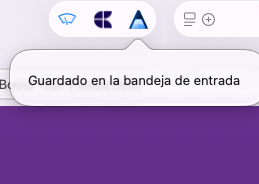
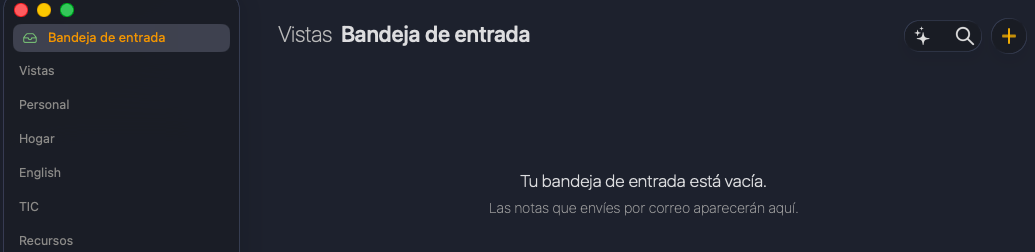
Tried with different websites. I get the “Saved on Agenda” notification, but agenda does not contain any new note. The inbox remains empty.

Regarding the Send to Agenda feature, does it not support images and file attachments? I’ve sent a test message to my Agenda address and the picture I included was stripped out.

I also tried an email with a PDF file attachment. It does not include the attachment. Can you allow this, Alex & Drew? Thank you.

Thanks all for trying out the new features!

@Blaze, sorry to hear the web clipper isn’t landing notes for you. Could you check that the Safari extension is enabled in Safari > Settings > Extensions, and also that Agenda has shown the inbox project (it appears the first time a note arrives, or when you enable Send to Agenda). A quick restart of Safari and Agenda is also worth a try. If it still doesn’t work, let us know which macOS version you are on and we’ll dig in.

@krlln and @Storyteller, on attachments in Send to Agenda: for this first version the email body is converted to text and any embedded images or file attachments are stripped. We started conservative on purpose, mostly because attachments can balloon iCloud storage and we wanted to see how people end up using the feature. It’s high on the list to support images and PDFs as proper attachments in a follow up, and we’ll take your feedback along.

Drew

Tested the new premium features, and they worked fine for me! I thought the email would be the killer one of the two new integrations, but the web clipper I think is going to be a massive help for me, especially with how much research I put into purchasing decisions: clipping web content is going to allow me to run these projects more fully in just Agenda without needing a separate browser open for reference links. I’m also glad to see that the lack of attachments is going to be resolved.

As someone who uses an inbox project already as a dumping ground for new stuff, is there any reason why I shouldn’t just use the new inbox project created by the clipper and email integration as my new catchall?

Is there a way to enable the Send to Agenda from an iPad or iPhone? I don’t have a Mac.

1 Like

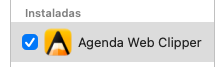
Yes, It is enabled. Restarted, reinstalled extension and Agenda, still not working.

image

Tried with several websites without luck, some were extremely simple only with text, just in case.

Any plans on releasing the web clipper for iOS?

Forgot to mention I am on macOS 26.5

Same here. Restarted Agenda and Safari, tested several web sites, nothing does it.

Anything else we should try?

Thanks

Thanks all for the feedback and reports.

@thejacobclark, glad to hear the web clipper is clicking for you. No reason not to use the Inbox as your catchall, that’s exactly what it’s there for. You can route incoming items into specific projects with \move(“Project Name”) in an email if you want to pre-sort, but using the Inbox as the landing place and triaging from there is a perfectly good workflow.

@user1612, Send to Agenda is currently enabled on the Mac, but once it’s switched on, the personal email address works from any device. So if you have access to a Mac even once (a friend’s, or via screen sharing) you could enable it there, copy the address, and then keep using Agenda on iPhone or iPad. We’re looking at making it possible to enable Send to Agenda directly on iOS/iPadOS in a future update.

@Blaze and @user2210, sorry the web clipper still isn’t working. A few more things to try:

  1. In Agenda, you could try enabling that Send to Agenda (Agenda menu > Integrations). The web clipper uses the same plumbing, so it might help. If it does help, please let us know so we can fix the issue.
  2. After enabling, fully quit and reopen both Safari and Agenda.
  3. Try clipping a simple text page (eg a Wikipedia article) as a baseline.

If it still doesn’t work after that, could you send a diagnostics report (Agenda > Help > Send Diagnostics) and let us know your macOS version? We’ll dig in from there.

Drew

1 Like

Same here. Restarted Agenda and Safari, tested several web sites, nothing does it.

Anything else we should try?

Tested the web clipper and it works for me - looks very promising. I’m curious about how I might use it as an alternative to a bookmark manager like Raindrop.io or a combined bookmark manager and RSS reader like Readwise’s Reader. Will explore.

I realise this is the first iteration, so I hope there will be a Firefox or Chrome extension in the future - I use the Orion browser, which accepts those extensions.

@drewmccormack, I believe the link to the Apple Watch How-To in the original post is broken. Found the relevant topic here.

I’m really getting lost and overwhelmed by all the new features. This isn’t a complaint but I could really do with a user guide, how do I use the people tags and linking to contacts for example? I feel like I’m only using such a small amount of what Agenda can do.

A post was split to a new topic: Agenda 23 not working

Thanks for the follow ups.

There is a lot in this release, and I can see how it feels like a lot to take in. The best places to start are the How-Tos at https://agenda.community/c/how-to/8, and especially the new Apple Watch, Contacts, and Send to Agenda articles linked from the announcement. If there is a specific feature you would like an overview of (people tags is a good one to start with), let us know and we can point you at the right page or write up a quick walkthrough here.

Drew

@krlln Thank you for the report. Fixing now.

If you are having issues with the web clipper, please check the settings in Safari. Go to the Extensions, find Agenda there, and check the settings.

Some people have reported that if they change a setting to allow clipping any web site, it starts working. I think by default it is too strict.

We will investigate if there is a way to make this more obvious.

1 Like