I’m currently writing backup scripts from my tools to DEVONthink, my go-to space for backups. I wrote a script to backup Agenda to DT using Apple Shortcuts as, if I am not mistaken, this is the only way to automate RTF export (I like this format for backuping Agenda as it is close to the style of the notes in Agenda).
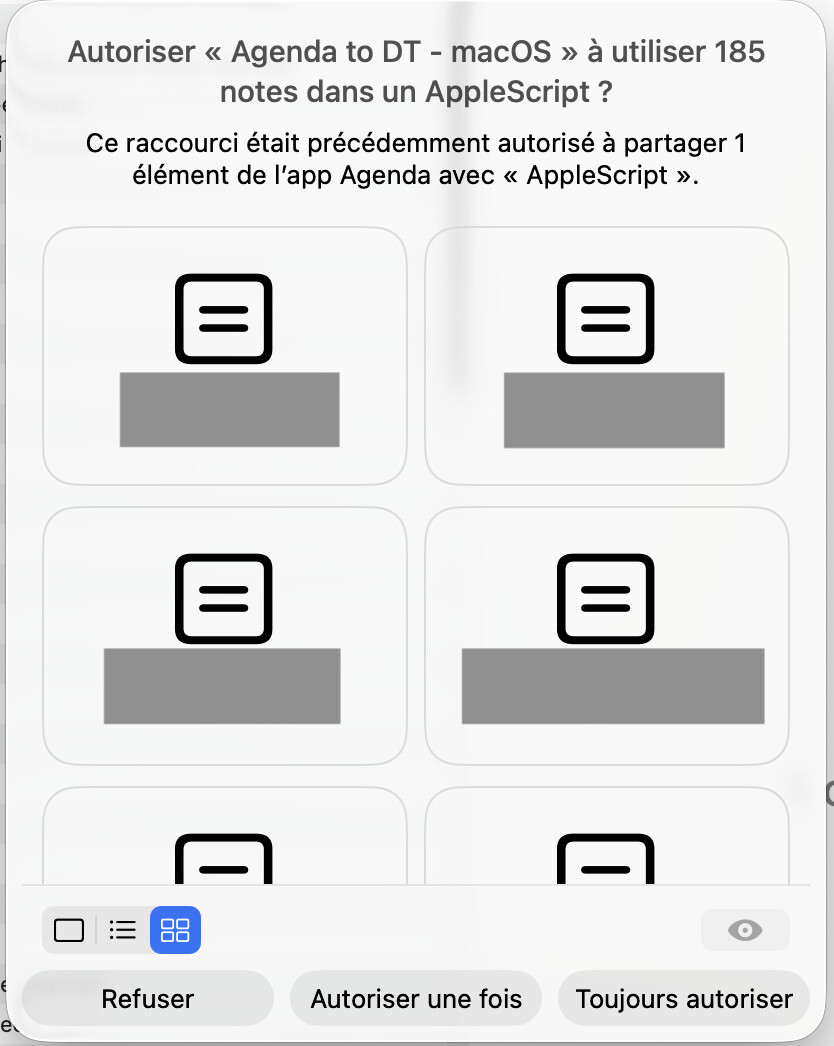
I then setup an automation to launch the script everyday. This works, with a big drawback: Shortcuts asks me to confirm the use of the X number of notes being exported (the X depends on the number of notes I edited today). Setting up the authorization in Shortcuts does not seem to fix the issue, as soon as there is more than 1 note to backup, the alert displays. I tried to update the script for macOS, thinking this may works better on macOS instead of iOS, but this is the same behaviour, the confirmation popup displays:
The only alternative I see is to stop using Apple Shortcuts and have another way to export recently edited files in Agenda in RTF. I see a possible option: use the MCP server, which can be used by an automation script even though it won’t AI based. However, the Agenda MCP server currently only export notes in Markdown.
- Do you see another way to automate the export to RTF?
- Do you believe a RTF support in MCP could be possible?
I forgot to mention that even though you “Always authorise”, the popup displays for each note. In the case of the screenshot, it displayed 185 times…
AppleScript would also be a great option, I don’t know if you’re willing to invest in it.
Thanks for the detailed writeup. Those confirmation prompts come from the Shortcuts side rather than from Agenda, so we can’t suppress them from our end. But prompting once per note even after you choose Always Authorise does sound wrong. We’ll check whether there is anything in how our actions are declared that could improve that.
We don’t support AppleScript at the moment, I’m afraid. Honestly, it would be a big investment, and our automation effort is going into Shortcuts and the MCP server at this point.
If markdown would work for your backups instead of RTF, the MCP server (Agenda > Integrations) is another way to pull note content out programmatically, without the prompts.
Kind regards,
Drew
Thanks Drew for the feedbacks.
Indeed, I also believe this is on Shortcuts side, and the confidentiality says that Agenda and DEVONthink are authorized to use the actions, but it looks like iOS / macOS still ask for confirmation when actions are called in a loop and that this loop loops on more than 1 item. I’ll also re-check if I can circumvent this issue but haven’t anything so far.
Noted for AppleScript, I understand this is another automation technology to include and maintain.
Markdown could work, but I really like the RTF / RTFD exports of Agenda as they keep the visual aspect of the notes in the Agenda app.
It may be worth looking in the Privacy and Security section of Settings app. There may be a setting related to this the you can activate for Agenda and DEVONthink to get it to stop asking.
I did that but haven’t anything useful. I think will do your proposition: export as Markdown using the MCP. I’ll give it a try in the next few days.
Thank you very much Drew.
Sounds good. Let us know how you get on with the MCP approach.