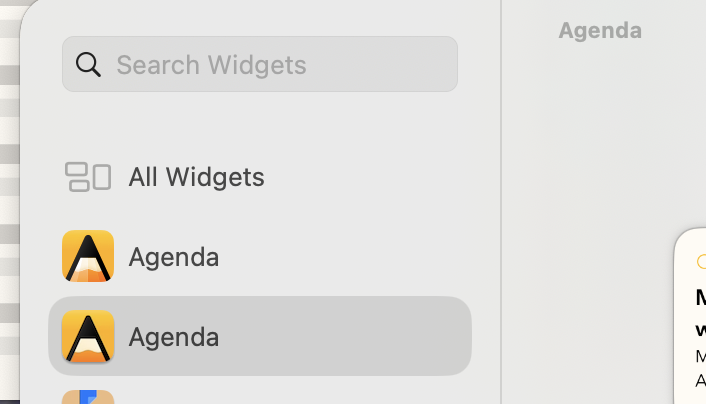
In the Desktop widgets editing window on macOS Sequoia there are two entries for Agenda. They offer the same set of widgets but are formatted slightly differently when dragged onto the desktop.
My hunch is that it has to do with syncing, bc. clicking the widgets from one set will open the iPhone mirroring app, whereas widgets from the other set will open Agenda Desktop.
Only Agenda shows this behavior, other apps that have Desktop and Mobile versions just show one set of widgets. I do have Mobile widgets enabled in the system preferences (bc. I’m using some widgets from Mobile only apps).
Any ideas what might be going on here?
(Agenda and macOS all have latest updates, as does Agenda on my iPhone. I’m on an M4 macbook and an iPhone 15.)
Yes, Agenda is actually two apps: the Mac app and iOS app.
Agenda was launched in a time when it wasn’t possible to have one app on iOS and macOS. We had to have two different apps.
Apple have since made this possible, but the hurdles involved in combining the two apps are high, so we still have the two.
The more 3D icon is for the Mac. That is the one you should use.
I will investigate whether we can somehow prevent the iOS one appearing on macOS.
Oh great, thanks for explaining.
Good to know that it’s working as expected.
In macOS System Settings under Widgets there’s a toggle for “Use iPhone widgets” – no way to control that per app, there, but perhaps there’s a way for you to tell the OS to suppress the iPhone Agenda widget.
There doesn’t seem to be any official way, unfortunately. We will see if we can find a “hack” to prevent it. maybe someone has come up with something.