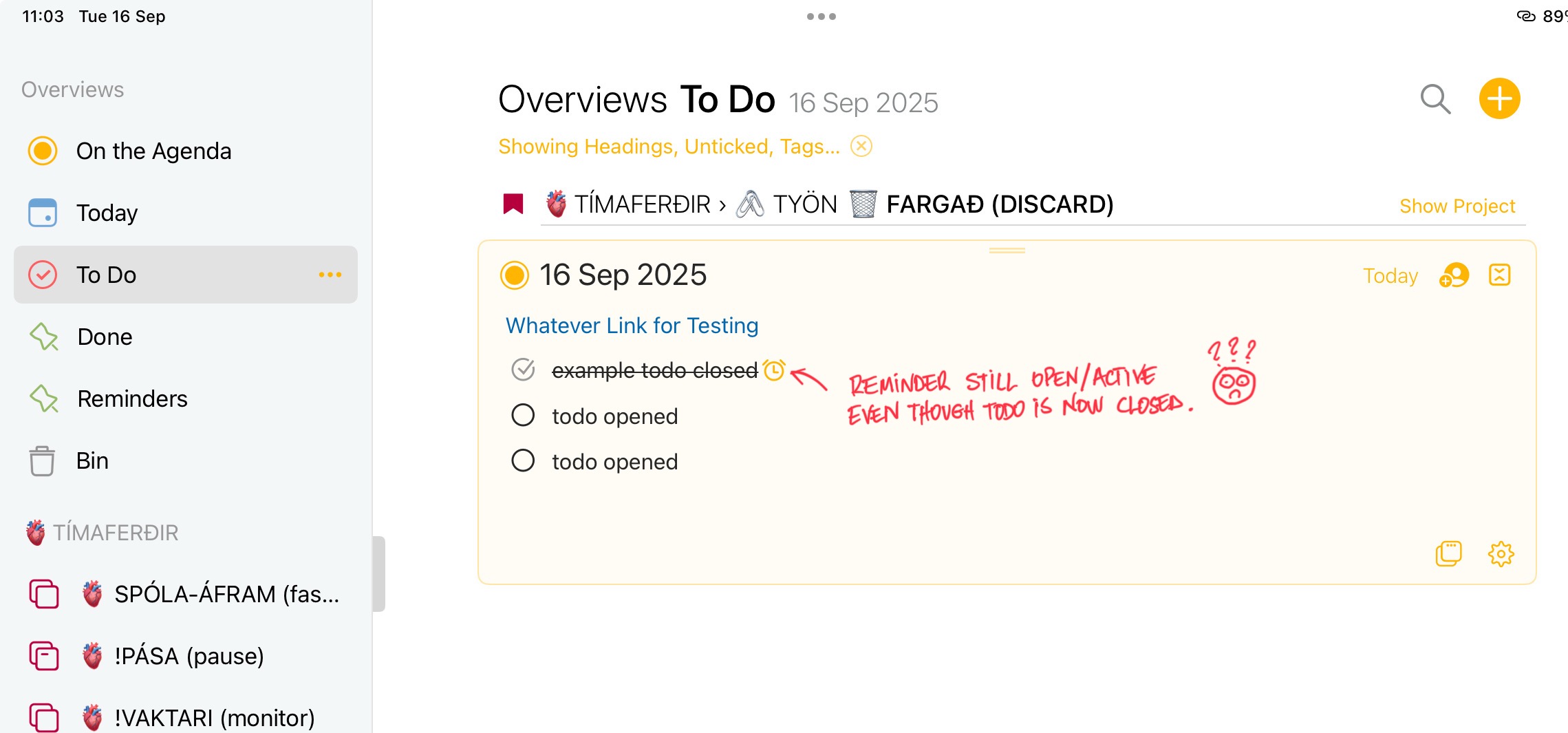
This is quite an old discussion here. Whether the reminder should be tied automatically to the checked state of the to-do item. In the end, we decided not to do that, but if we revisit it, will take along the suggestion.
I totally agree. It is an old issue but still exists. Automatic actions can have consequences but I would not consider this to be an automatic action but the completion of the initiated action. Also the only time the alarm clock even needs to be shown is when there is no note associated with it. ‘Then’ the clock could show up in the timeline or even open reminders.
Plus one for automatically completing the reminder when checking the check list item!
Personally I wouldn’t want an option-click to do this. Perhaps each user could choose this in the preferences? (Though I know you’re not keen on a preliferation of options!)
Hmm, I can’t seems to make it work. Again, after completeing ToDo you click circle then complete symbol appears, now with holding shioft and clicking the item it does not close or does not do anything. Can you record short video clip to show how it works?
Mike, I think the issue may be that you are checking the item first, and then shift-clicking. The shift needs to be held for the click that actually toggles the checkbox, because that single click is what completes both the to-do and the reminder. If the item is already checked, a later shift-click has nothing left to toggle.
So starting from an unchecked item, hold Shift and click directly on the circle. Both the to-do and the reminder should complete together.
If it still does nothing that way, let me know which version you are on and I will have a look.
Good catch, Roms, and thanks for the video. You are right, I was wrong about that. The long press on the circle does bring up the menu on iPhone and iPad, so it does not need a keyboard after all. I added this a year or two ago. On Mac, I think you hold shift when you click.
It isn’t documented anywhere, which is why it hasn’t come up. Worth us making it easier to discover.