One little workflow improvement I’ve used in a number of apps like Obsidian, Roam Research and Missive is that to add a link to some text, you can simply select the text and paste the link. The text will automatically become a link without having to open an ‘Add/Edit Link’ panel. It’s become so ingrained in me that I keep trying to do it in Agenda, so I thought I’d add a little request for it here
I also vote for this minor change. It really helps improve the user experience. I always need to paste links from Slack, web, or tickets for reference. With this feature, it will be a lifesaver.
I’ve gone half way to making this happen. What I have added is that when you paste, and the pasteboard has only a URL with no title, it will apply the URL to the existing text.
If there is a title + link on the pasteboard, it will use the default iOS/macOS behavior of replacing the selected text.
Is this what you were hoping for? Or did you want to have pasting of links always ignore the copied title when pasting onto existing text? (This seems non-standard to me, so a bit of a risk in terms of what people expect.)
I like your process, I think. Certainly not always ignoring the title.
I’m not sure though how the pasteboard with url only comes to exist. Also, by ‘existing text’ I assume you’re referring to selected text?
Yes the selected text. I think you get just a URL with no title when you select the URL in safari and copy, for example. At least, that is a case that worked in my testing.
Hi @drewmccormack I tested in the beta but it doesn’t work. I copy the url from the browser directly and paste, it still replace the original text like before with generate title(?). Wonder if this is released to beta?
Oh.. looks like only work on safari..? Chrome/Firefox/Zen browser doesn’t work… Sadly I use Zen (Firefox) instead of Safari.
Actually, I checked the paste-box (I use maccy), the copied content is pure url.
This is the problem though: the reason it works with safari is that you are just pasting a link, with no title. There it can decide to attach that link to the text that already exists.
When you copy from Chrome, it is probably including the title of the web site. Replacing the selection with the titled link is what is supposed to happen on the Mac. The pasteboard replaces what you paste onto. I would argue the other apps are doing it wrong on iOS/macOS (I don’t know the windows or Android conventions).
We can change this, but I’m worried a lot of people will be scratching their heads, wondering why pasting isn’t working.
I would love to see the view from others as well. IMO, it is more common to attach link instead of replacing when hightligh and paste. As a user, we would not know if title include or not. I just copy link from browser and then paste it to the highlight text to have the attach it.
On the other hand, since most other note app they are supporting this, I think this also showed it is kind of natural behaviour for people doing this to have more fluent writing experience. I think the possibility of attaching link to existing text is higher than just replace, unless it was pasted with the markdown format [abf](…).
Yes, i mean selected text. I think the common case when user select/highlight text and paste link, it is more likely to attach link instead of replace it.
The selected text in my note must not be changed by the title or URL of the attached link.
The link inserted at the insertion point should retain its original format as far as possible, if the OS allows this. In other words: I want to see in my note what I see when I copy the link.
If a link only generates a title at the insertion point and I want a URL, then I click on, for example, “Paste As” > “URL only” or use a keyboard shortcut directly.
Every user can probably do something with that. Keyboard shortcuts would be important for the workflow.
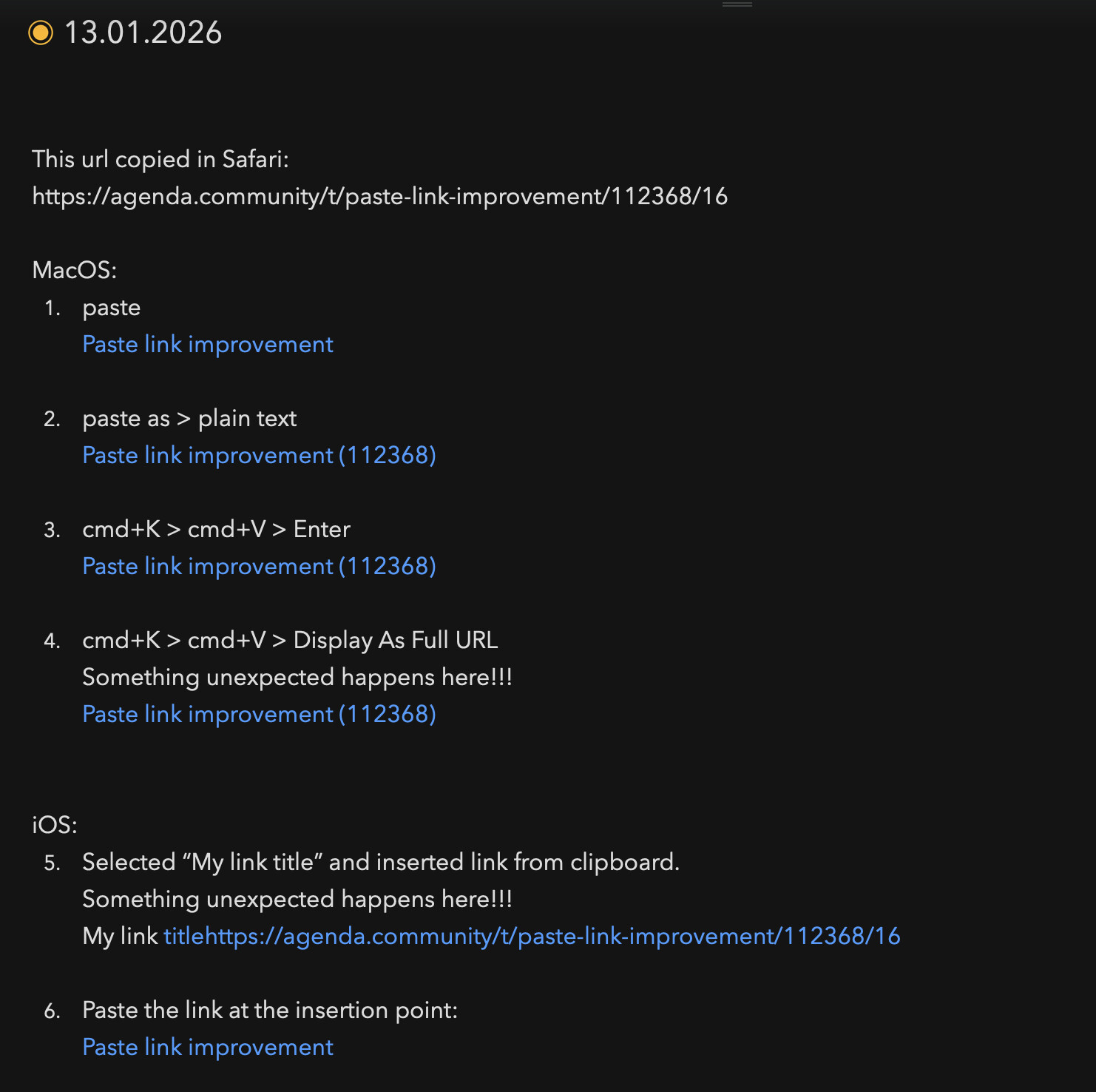
I ran a few tests and noticed a couple of problems.
Please see 4. and 5.
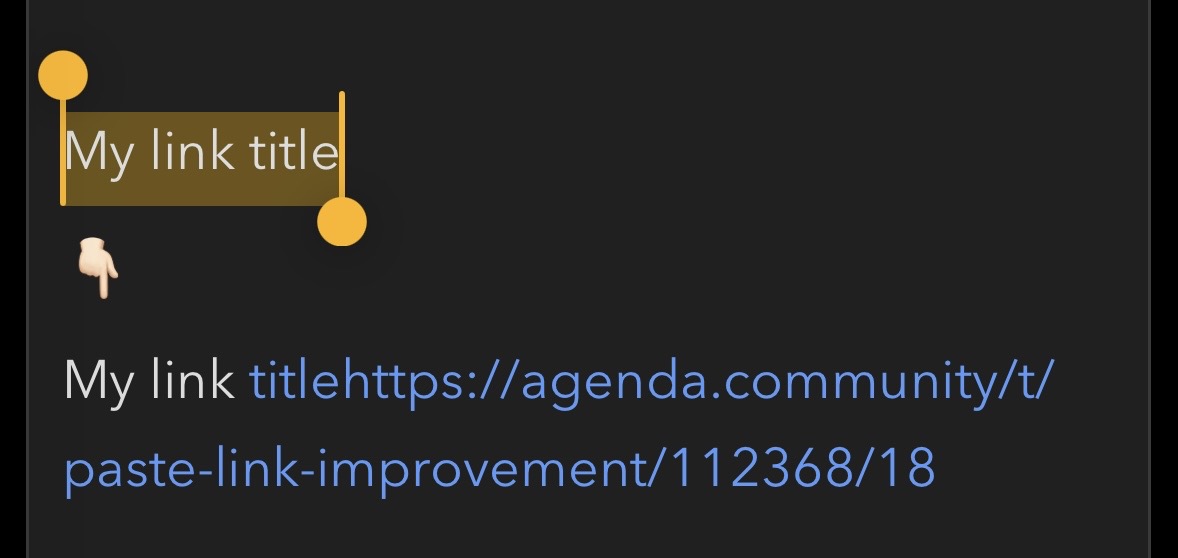
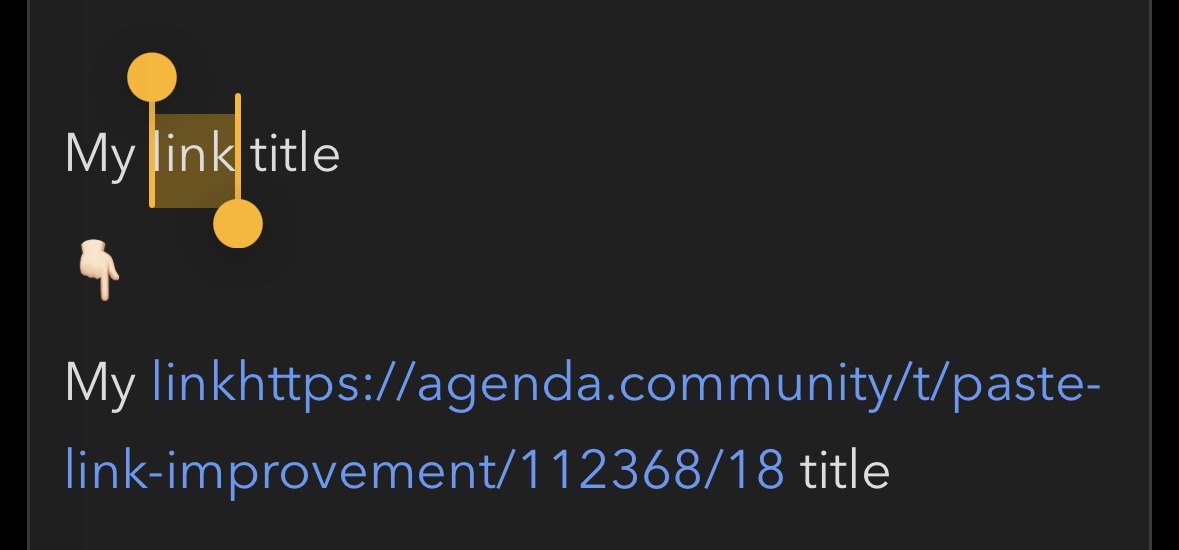
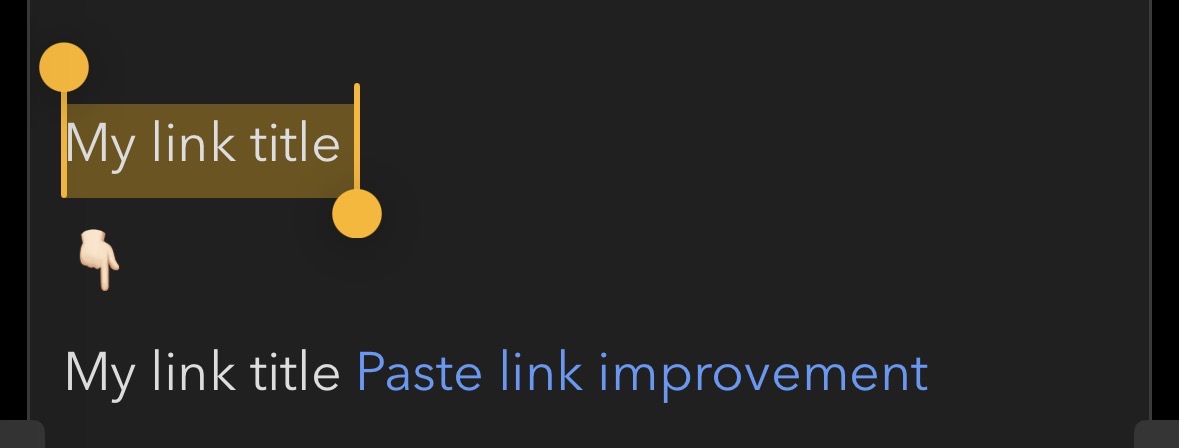
Number 5 is particularly annoying because editing and correcting links on the iPhone is very tedious.
Thanks. I think I am going to make it that if you select existing text, it will always attach the link to that text. If you want to replace some text with a link, just delete the text first and paste at the insertion point.
Seems like that is what is wanted. It’s not standard Apple editing rules, but has become a pseudo standard.
I would like to add something here.
Marking on the iPhone is the problem here. For me, with a lot of patience, it’s still a matter of luck. It’s particularly difficult with text in the middle of a sentence. @drewmccormack Try it out.