What I did:
Copy text from any location and paste into Agenda
What happened:
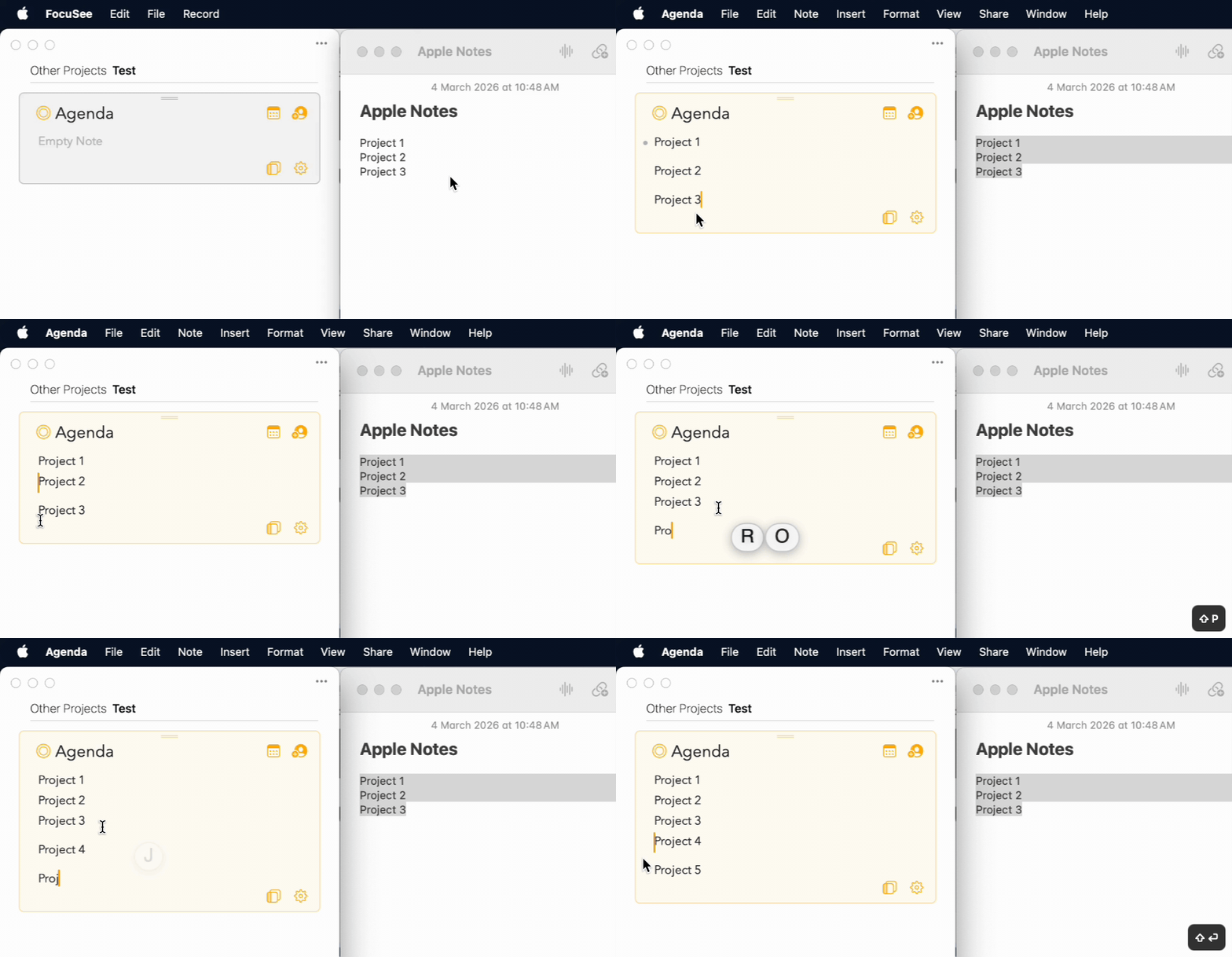
When pasting into Agenda, the paragraph spacing is very wide. I have to delete it manually, then use Shift+Enter for normal spacing.
This happend even when type text and entering the next line.
What I expected:
When pasting any text, paragraph spacing should be standard, not excessively wide.
This also applies when typing.
Things that might be helpful to know (Agenda version, OS and model, etc):
Version 22.2.1 (389)
Sequoia 15.7.5
Macbook M3 Air
Agenda deliberately has paragraph spacing, ie, extra space between paragraphs. It is not like most markdown editors which require you to type two new lines to get a new paragraph.
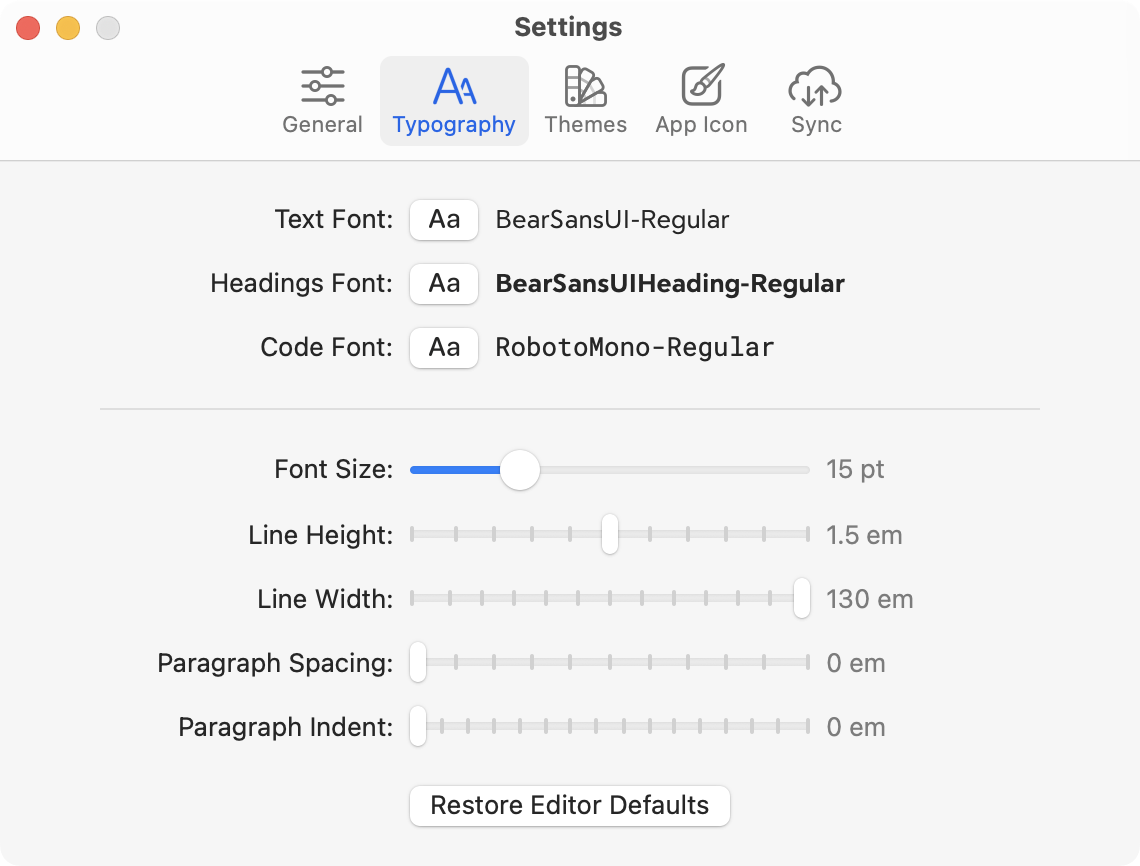
You can control the paragraph spacing in the text settings if you don’t like that extra space to delineate paragraphs.
To find the Agenda settings:
On macOS, choose the menu Agenda > Preferences/Settings
On iOS, open the right panel, and tap on the button bottom-left
Update: it is a bit difficult to see exactly what you are doing in the movie. Are you adding soft-returns to get the “tight” spacing? A shift-return gives you a soft return/line break. It’s not a new paragraph, so there is no extra spacing.
Hi. I see the setting and have adjusted it to the lowest level. The spacing is much tighter now.
Initially I am using shift-return to create tighter spacing.
What do you mean when you say it is not a new paragraph?
As shown in the first part of the video GIF, the texts are all on a new line. But when I paste it into Agenda, the spacing between each text becomes wider. So what I normally do is delete and then use shift-return to set the text with normal spacing.
It’s not wrong, but it is not exactly the same thing.
A paragraph has a grammatical meaning. It is a collection of related sentences. When you hit return, you get a new paragraph. Some text apps put extra space between paragraphs (eg Pages, Word). Markdown editors tend not to do that, but require you to hit two returns to get a space and start a new paragraph.
Holding in SHIFT does start a new line, like a return usually does, but it is grammatically still the same paragraph, which is why you don’t see that extra space. It is just a way to go to the next line, without treating it as a new paragraph.
I guess I understand, especially regarding typing.
But I believe the confusion arose because new lines became paragraphs when pasted into Agenda.
When I copy text from Apple Notes, where each word is on a new line with no paragraphs, pasting into Agenda puts each word in a new paragraph instead.
Hence, in the video GIF, I needed to deleted the paragraph of each word and with SHIFT+RETURN to have the word on a new line as I wanted to have it look similar to the one in Apple Notes
Then they are paragraphs, and have paragraph spacing. If you don’t want paragraphs to be spaced (eg like in a book), best to set the paragraph spacing to zero in the settings.
If they aren’t really paragraphs, and you want them to be lines but not a list, then the shift+return is the right approach.
Paragraph spacing is one of those polarising topics where people either want to have it or not at all. I personally very much like Agenda’s way of doing it, perhaps because I grew up with DTP software and early hypertext browsers
I’m reminded me of a similar debate on the Bear community. I see they ended up adding a separate paragraph spacing slider which could be set to zero if preferred.