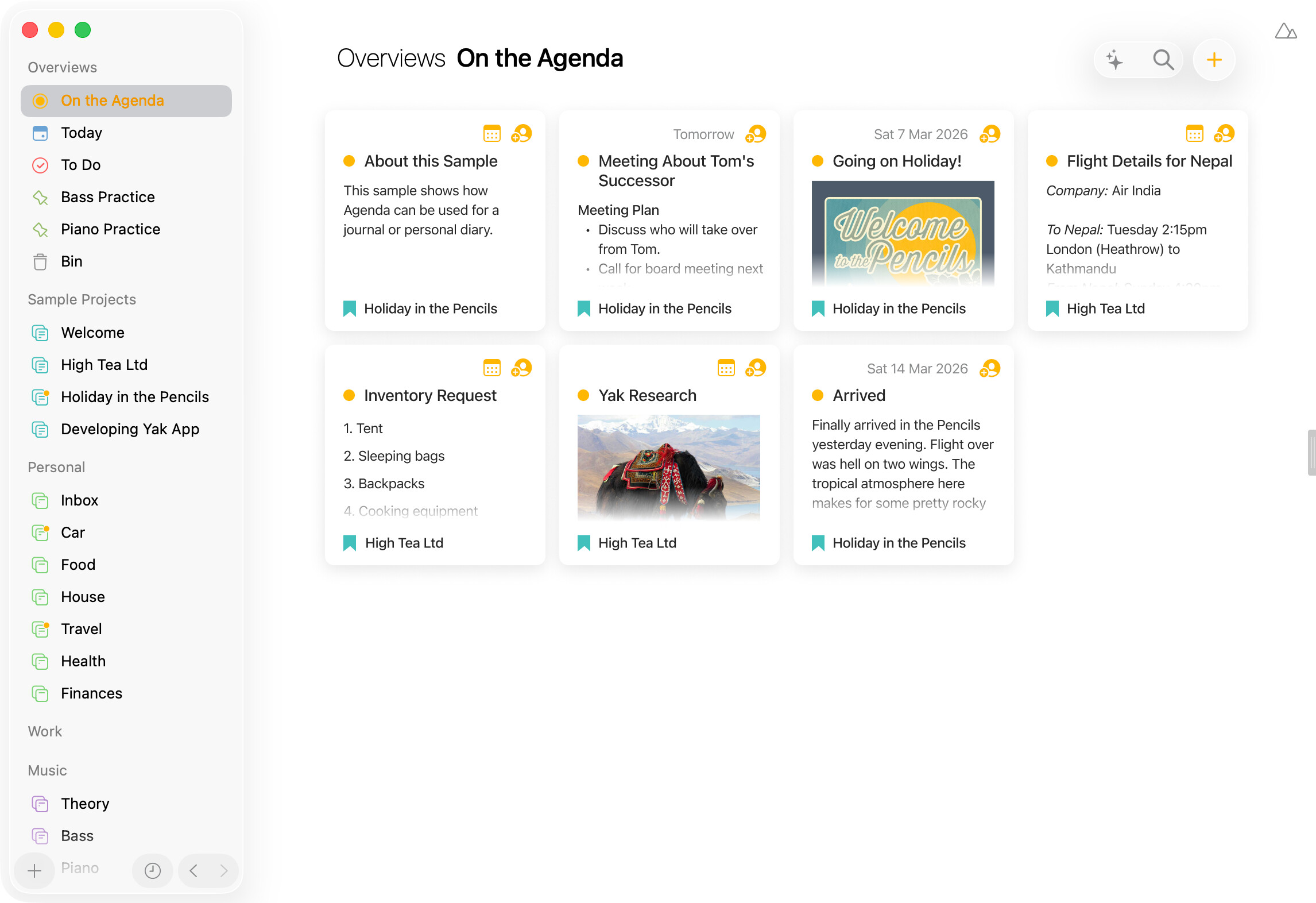
I honestly love the simplicity and non-business of Agenda’s interface. But an idea just popped into my head while looking at a project. I wonder if people might dig being able to show the notes in a project as narrow “cards", so multiple ones can sit on one line, rather than stacked “cards” that go all the way across the page. Of course, this would only work if the cards were of a uniform height, which means you would need some kind of show-all function like clicking to open the whole note in new window or side panel.
Kinda like one of Notion’s capabilities. You might even go as far as having the option to show a primary image in the card.
This has indeed been requested a few times, we are a bit reluctant however to add too many options and different views as it inevitably comes with increased complexity and possible feature-creep. For now we have no plans in this direction but we’ll always keep these kind of requests in the back of our minds when thinking about the direction in which to take Agenda. Thanks for sharing!
I would also really like to see a Kanban style view of Agenda notes. I find it so helpful to get a visual overview of a project’s progress. I’ve tried tags and while they can show me notes (tasks in my case) at a particular stage, there is no visual context.
My use case is a new podcast I’m developing where I want to use one note per episode, and be able to move notes from “recorded”, to “edited” to “uploaded” etc.
I don’t want the mental overhead and complication of linking notes to a separate kanban app. I’ve even looked at other note taking apps that include kanban views, but they all fall short of Agenda in other areas.
So, I’d love to see a Kanban view in Agenda! I wonder if it could work with nested tags, status(recorded) status(edited) etc, and these tags would become the column headings in a project, with each note becoming a card showing the title and first couple of lines.
Not kanban, but you may be able to come up with something using tags for status. Eg. Make overviews for the different statuses.
Note also the new MCP support we have, that allows you to do some pretty powerful things with AI tools like Claude and Codex. I wonder if you couldn’t get one of them to make a simple kanban app that you can run locally in your browser, and which uses the tags and notes from Agenda.
How would you see it working? Eg. The existing list of notes would become a grid of cards, showing the title or something, and you click them to open it up for editing, one at a time?
Yes, exactly. Each Overview or Project could maintain its own view - list or cards. For cards, there’d be a grid of previews. Selecting a card opens the full note with a back button to return to the grid.
I don’t think tags would work as a way to organise notes into columns. If a note were to have multiple tags, which column would it fall into?
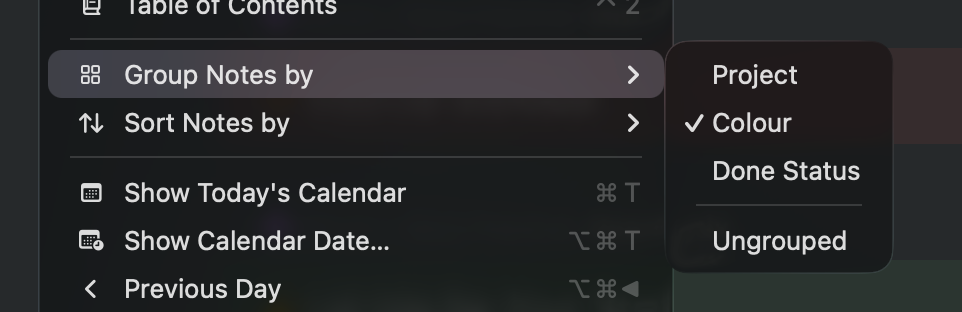
Another way might be to make use of the existing “Group by” option. Then the “Done Status” could be used to organise notes into basic Kanban view. For anything more complex like your podcast workflow, (sub-)projects or (named) colours could be used.
(FWIW I personally don’t actually need a Kanban view, but a card grid would be really nice for projects with a lot of notes)
I think the card grid idea is interesting — it’s simpler than a full kanban, and could work well for projects with lots of notes. We’ll keep it in mind.
Patrick makes a good point about multi-tag notes and columns. The “Group by” approach could indeed be a more natural fit if we ever go in a kanban direction. Good food for thought. We’ll take it along.
I agree that tags could get messy - that’s why I suggested nested tags. One could chose a particular nested tag to be the basis for the column view. Perhaps a special Kanban tag (like Star is a special tag), #kanban(waiting) etc.
I can see that named colours could work, though if one already uses colours for another reason it could be problem.
I think that’s brilliant. It’s clearly structured yet still leaves plenty of room for your own creativity.
I would prefer a vertical layout here. So scroll vertically through all the associated notes.
It would also stay true to the agenda design and the timeline. Perhaps filtering and sorting would then work for each column as well.
Not sure I understand, or perhaps I didn’t express myself clearly.
I’m imagining a classic Kanban layout, with columns using the nested tags (Next, In Progress, etc), with each column containg the notes that meet that criteria.
You’d scroll up and down to see the cards further down the column, and left and right if there are too many columns to fit on the screen.
(Plus, this could be even more powerful if the projects from which cards are shown can be selected in the left hand panel in the same way as the normal note list is created - ie you could choose to show notes from just one project, from two or from a whole category etc. This would make the Kanban view useful for people however they organise their notes.)