What I did:
I have a note (titled “Kitchen” in attached screengrab) containing several checklist items and therefore appears in the To Do overview as expected.
I mark the note as On the Agenda and switch away from and back to the To Do overview
What happened:
The note has disappeared from the To Do overview. If I then remove the On the Agenda flag, it returns to the To Do overview.
What I expected:
I expected the note to stay in the To Do overview, since it contains incomplete checklist items, regardless of whether it’s marked as OTA or not.
My test note (titled “15 Feb 2026”) has similar properties but remains in the To Do overview like I expected.
Things that might be helpful to know (Agenda version, OS and model, etc):
Version 22.2 (388) - Mac App Store
It seems like some sort of index timing issue. When you switch the OTA setting, the note needs to be reindexed with the new data. I guess if that doesn’t happen fast enough, it may disappear from the overview temporarily.
Or is it it perhaps related to sort order? Could the note have moved to a different location in the list?
The issue is that the note disappears from the To Do overview. It’s not temporary, I can wait several minutes and the note still doesn’t reappear. It only reappears if I remove it from OTA. Really strange!
There’s only one other note in the To Do overview, so it’s not a case of moving to a different location in the sort oder.
Are you able to see the screen recording I posted?
Ah Ha. I repeated your issue using 3 checklist items. If 1 item is left unchecked-OTA unchecked you can leave and return to the overview and the note is there, same with OTA checked. With all 3 checked it doesn’t, even when leaving the OV, check OTA, back to OV. There were a couple of other combinations as well. It seems to me that Checked and OTS status are interacting in an unplanned way. Looks like time for @drewmccormack.
Thanks for trying that out BruceN. I don’t entirely follow… if all checkboxes are checked, then I would expect it to disappear from To Do like you saw.
Anyway, I was unable to reproduce it myself from a new note, so I had assumed there was something peculiar about my particular note. If @drewmccormack has a chance to take a look, I have attached an export of the offending note, stripped back to the basics.
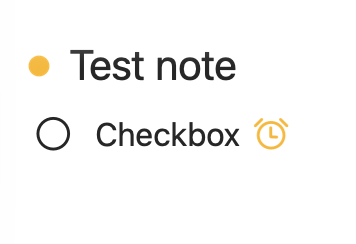
It contains a single unchecked checkbox and a reminder. And is marked as OTA. I would expect it to appear in the To Do overview (because of the unchecked checkbox), but it doesn’t.
Either of the following will cause it to appear in the To Do overview: