Hello, I think I found an iPhone UI bug in Agenda.
What I did:
Opened a note, tried to insert an internal link (project/note), which opened the project picker. The search field was automatically focused and the keyboard appeared.
What happened:
The project list does not scroll far enough, and the lower items are hidden behind the keyboard. I cannot select projects that are at the bottom of the list.
What I expected:
I should be able to scroll the full project list above the keyboard, or dismiss the keyboard and continue selecting a project.
Things that might be helpful to know (Agenda version, OS and model, etc):
iPhone 13 Pro Max
iOS 26.5
Agenda 22.3 (393)
Steps to reproduce:
-
Open a note
-
Insert a link to a project or note
-
The picker opens
-
The keyboard appears automatically
-
Try to scroll to projects near the bottom
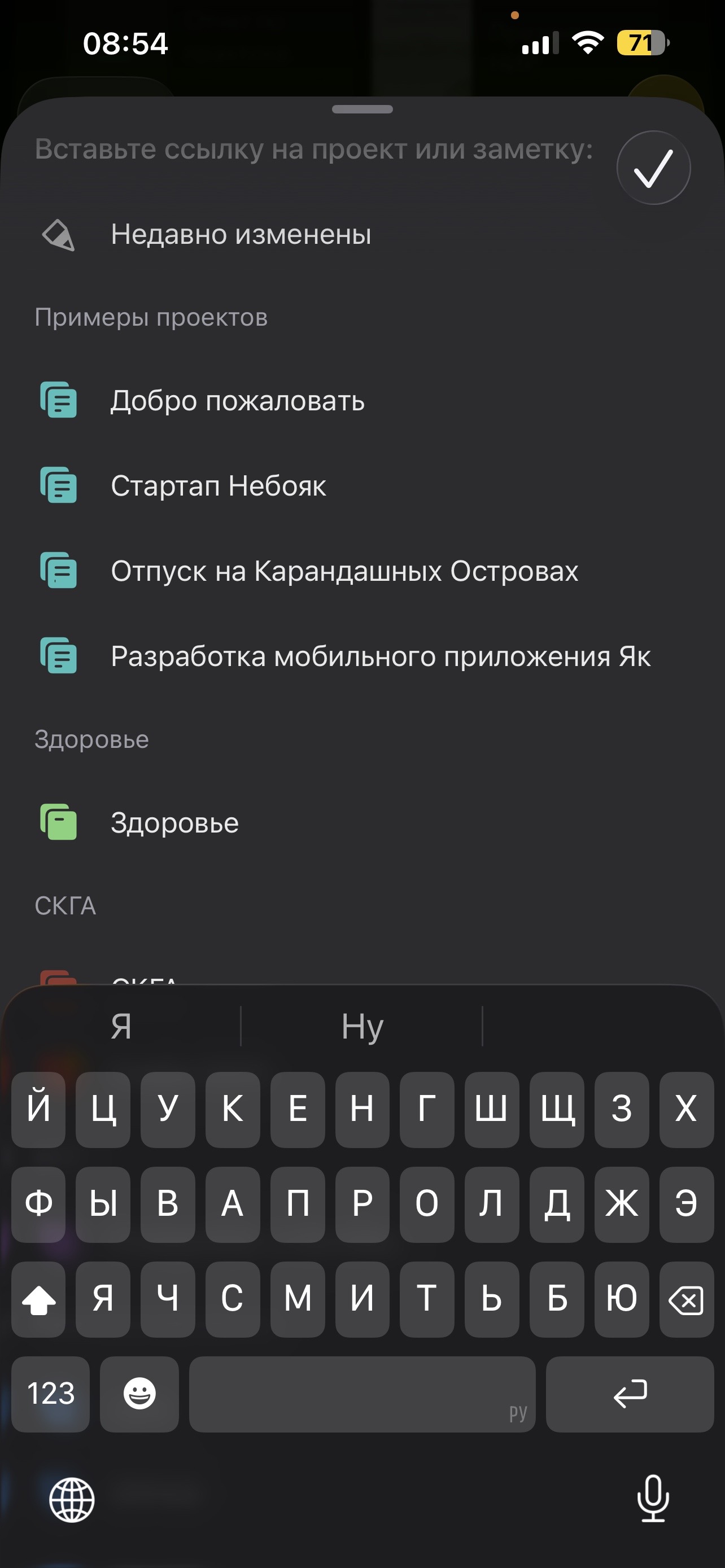
I attached a screenshot.