There are some decent configuration changes listed in an OSXDaily article. I know some don’t like links so I’ll just leave the address. osxdaily September 17 2025
Since my first iPhone (3GS and iOS4), I haven’t had to worry about special settings for readability or operation.
Now I’m apparently too old for the iPhone 15 Pro and Apple’s misstep with Liquid Glass. Many good things have been ruined for me since the update.
Yes, I want to use some of the new features of iOS26, but without the gimmicks of the Liquid Glass design.
I hope Apple will listen to us!
1 Like
You can go to the Settings app. Under accessability, there is a Reduce Transparency setting. I enabled this on all my devices to cut down on all that translucency,
I would love to do that, but some apps have problems with it, including Agenda.
@drewmccormack
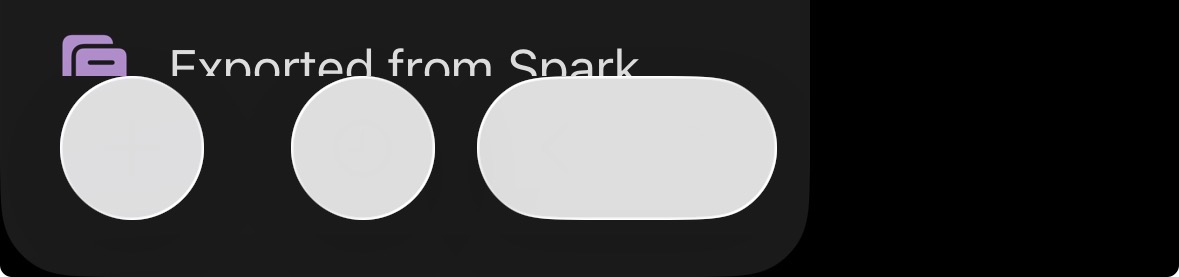
These buttons do not like the reduced transparency. (iOS)
1 Like
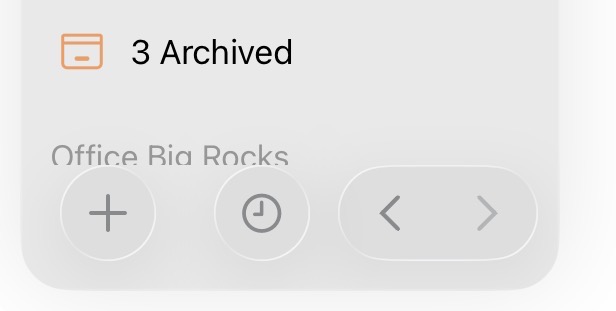
Wow. I’m trying this on my iPad with iPadOS 26 and on my MacBook M1 with MacOS 26. I’m seeing my icons clearly. I saw my Reduce Transparency setting checked on.
This is what it looks like with the Reduce Transparency turned off:
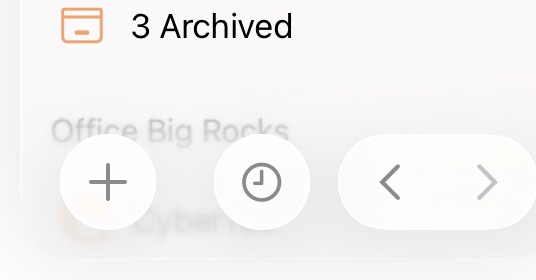
The App Store shows that I am up-to-date with my Agenda app version. So I’m not sure what’s going on here….
Set the appearance of the user interface to “dark” or “black” and test it.
The light setting doesn’t cause any problems for me either, but I only use it for some things (system) on my Mac.
1 Like
FWIW — I own a iPhone 16 Pro, numerous iPads (2018 Pro 12.9, M1 Pro 11, M2 Pro 11, Mini 6, iPad A16) plus a MBP M2 and a MBA M4. Liquid Glass offers no actual benefits as far as I am concerned besides a pleasing aesthetic if you happen to have new device, and readability is worse. I wish Apple had just implemented a simple setting to turn it off. But I have found Accessibility/Display - enabling Reduce Transparency and Increase Contract — helps to get rid of it.
I have transparency turned off and am still struggling with opaque windows where my eyesight struggles to quickly see things. An Agenda example is the notes scrolling under the window title:
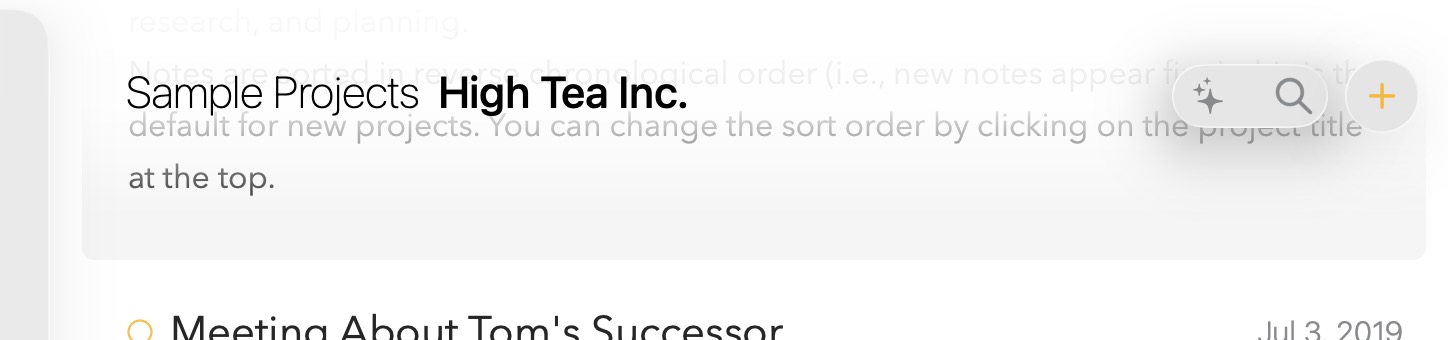
I agree with @Roms in that “I want to use some of the new features of iOS26, but without the gimmicks of the Liquid Glass design.” Looks great to play with but just isn’t practical. Compare this forum page where the comments scroll under the title without obscuring it.
@drewmccormack Let me know if there is a way for me to turn this off. I have transparency off in macOS26 settings…
Thanks again for such an awesome app…
We’ll see if we can at least respect the transparency setting somehow throughout the UI. Not sure if Apple expose that to developers, but presumably they do.
You will just get a solid bar instead, I guess.
1 Like
Thank you, I know Apple doesn’t always expose stuff. So far I feel os26 has to many small steps backwards…
Well, 26.2 was released with no transparency solution for Mac. Personally there are still too many bugs and various issues existing to justify working from such an underwhelming, not ready for prime time release. A pretty screen, memes, stickers, and keeping to a release schedule seem to be of greater importance than quality coding.
That said, Apple is still the best out there. I’m sure they can do better though.
1 Like