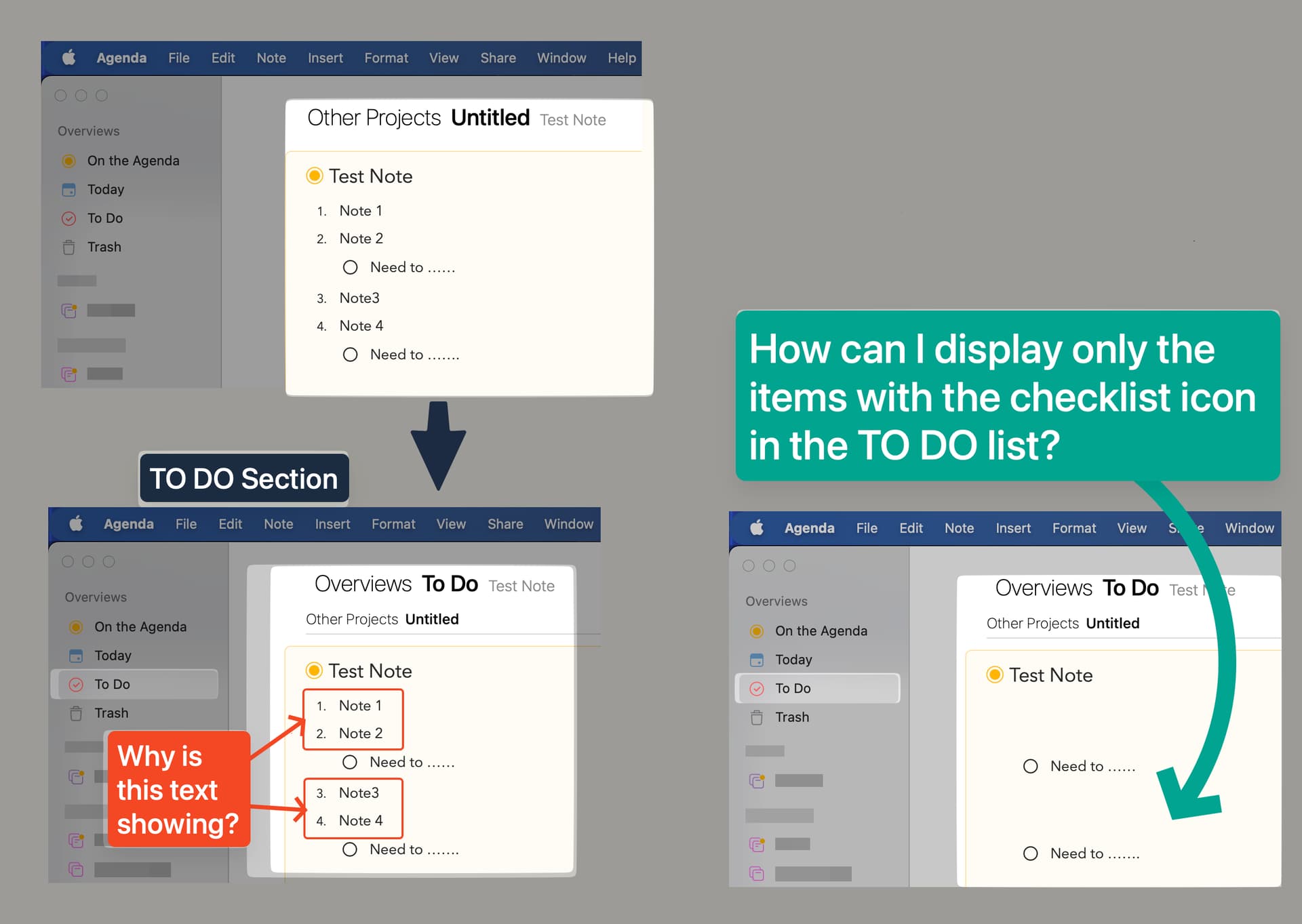
How to show only items with Checklist icons in the TO DO Section?

What I did: Created a Note with Numbered List & Checklist

What happened: In the TO DO Section, The Numbered list is still showing in the TO DO Section?

What I expected: In the TO DO Section, I expected to see only items with checklist icons

Things that might be helpful to know (Agenda version, OS and model, etc):

Agenda Version 21.0.2 (356)
macOS Sequoia 15.7
Air M3

You should be able to click on the To Do heading there and setup a paragraph filter that only shows check list items.

Got it. Thanks

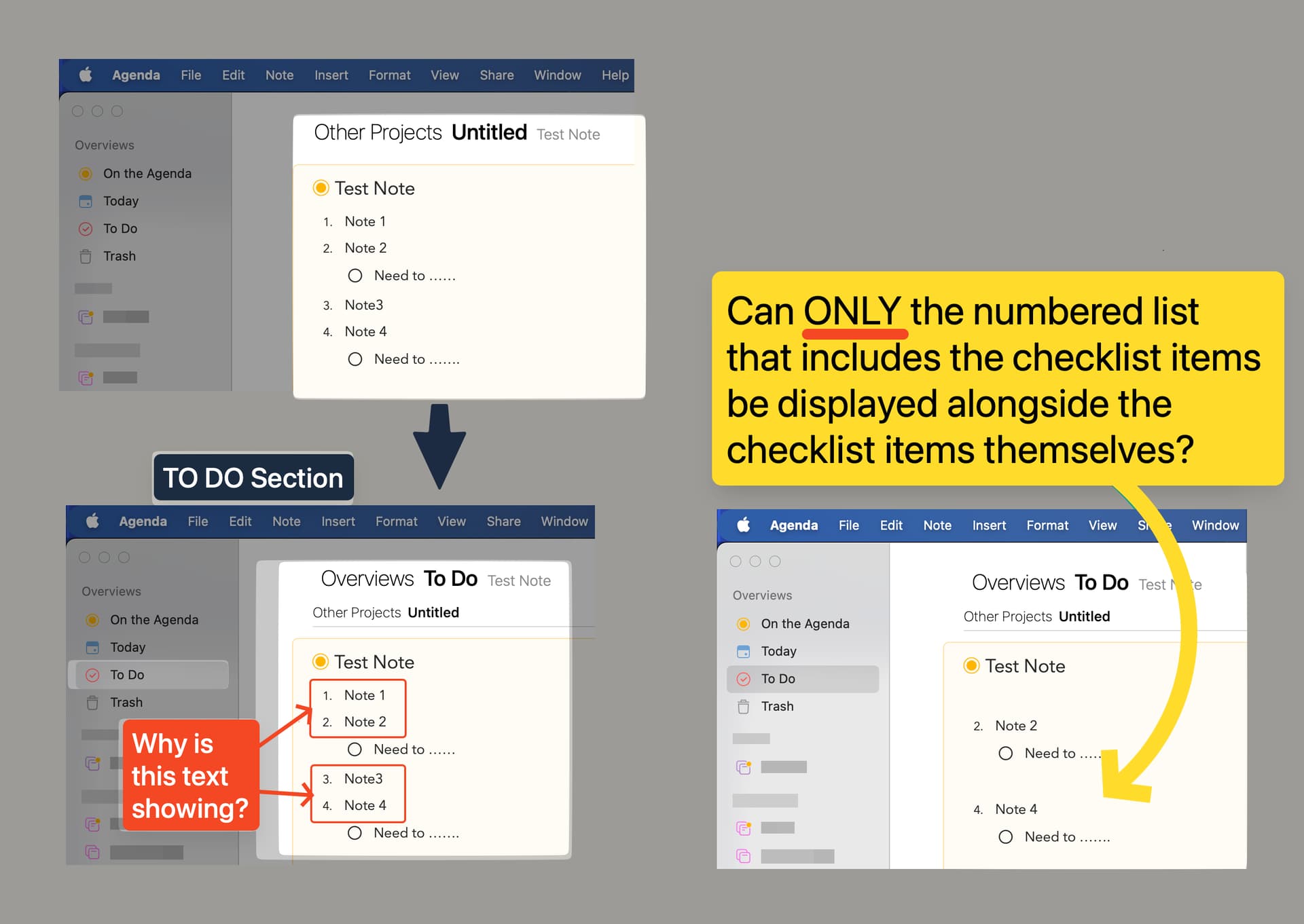
Aternatively, can ONLY the numbered list that includes those checklist items be displayed alongside the checklist items as well.

Not at the moment. You could choose both checklist items and numbered list items in the paragraph filter, but then you see all numbered items and all checklist items.

I assume you just want to see the “parent” item where the checklist is embedded. We’ll think about whether we could support that in future.

Perhaps you can think of another way to order the data to achieve this. Eg. use a specific heading style for the title of each checklist, and have that show.

Ok. Thanks for ther response.

Regarding the Displayed Text Content;

  • Bulleted shows as Dashed under the path displayed at top.
  • The menu of content when selected beneath the path, remains open as it should until escaped or click outside the box From the menu bar it closes after each selection, it shouldn’t.
    Most of all, it filters correctly when the menu is opened from the path. :smirking_face: