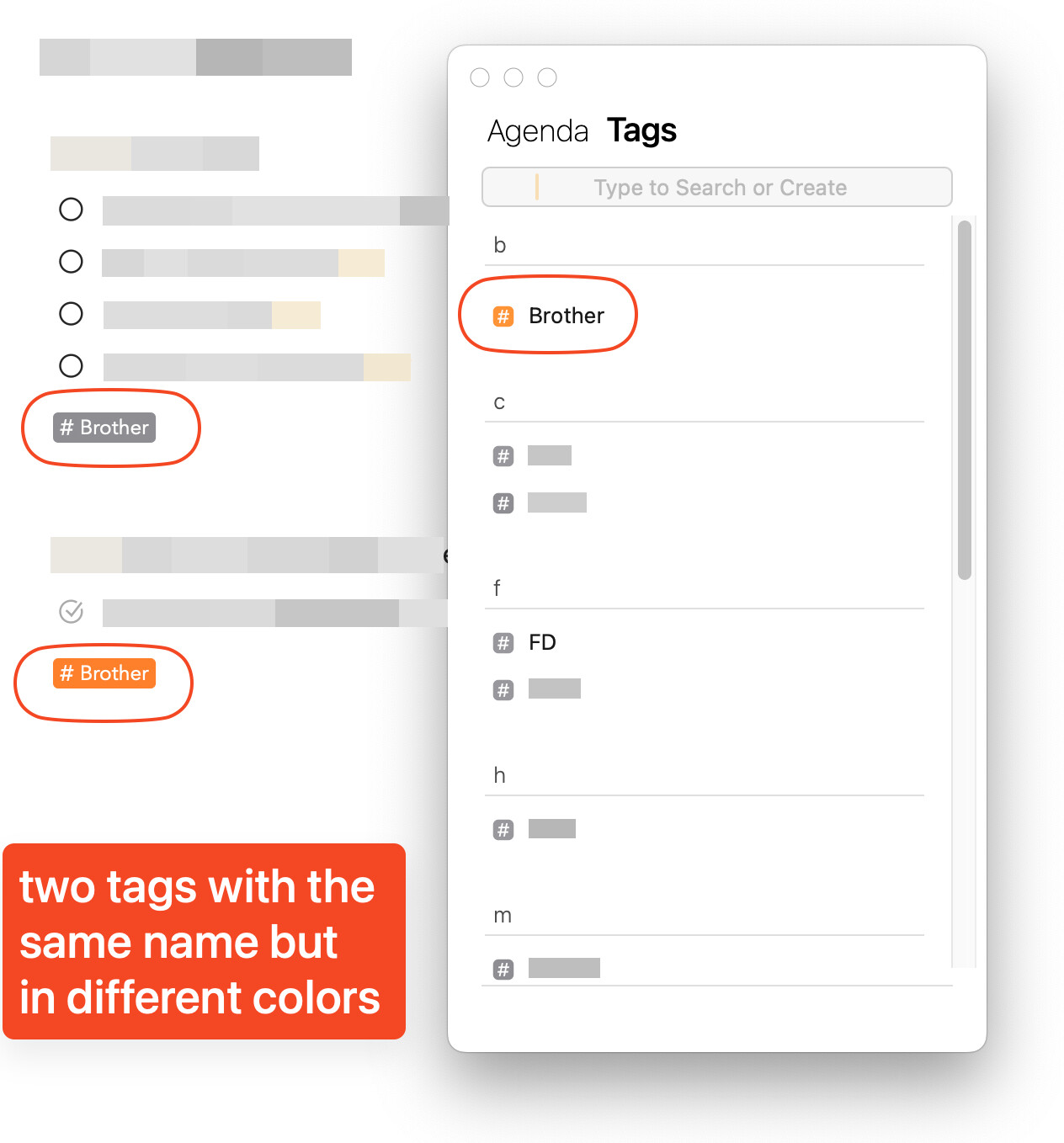
The first issue is that when I create a Tag in a Note, it always defaults to orange. Is it possible to set it to default to grey so I don’t have to change it every time I create a Tag?
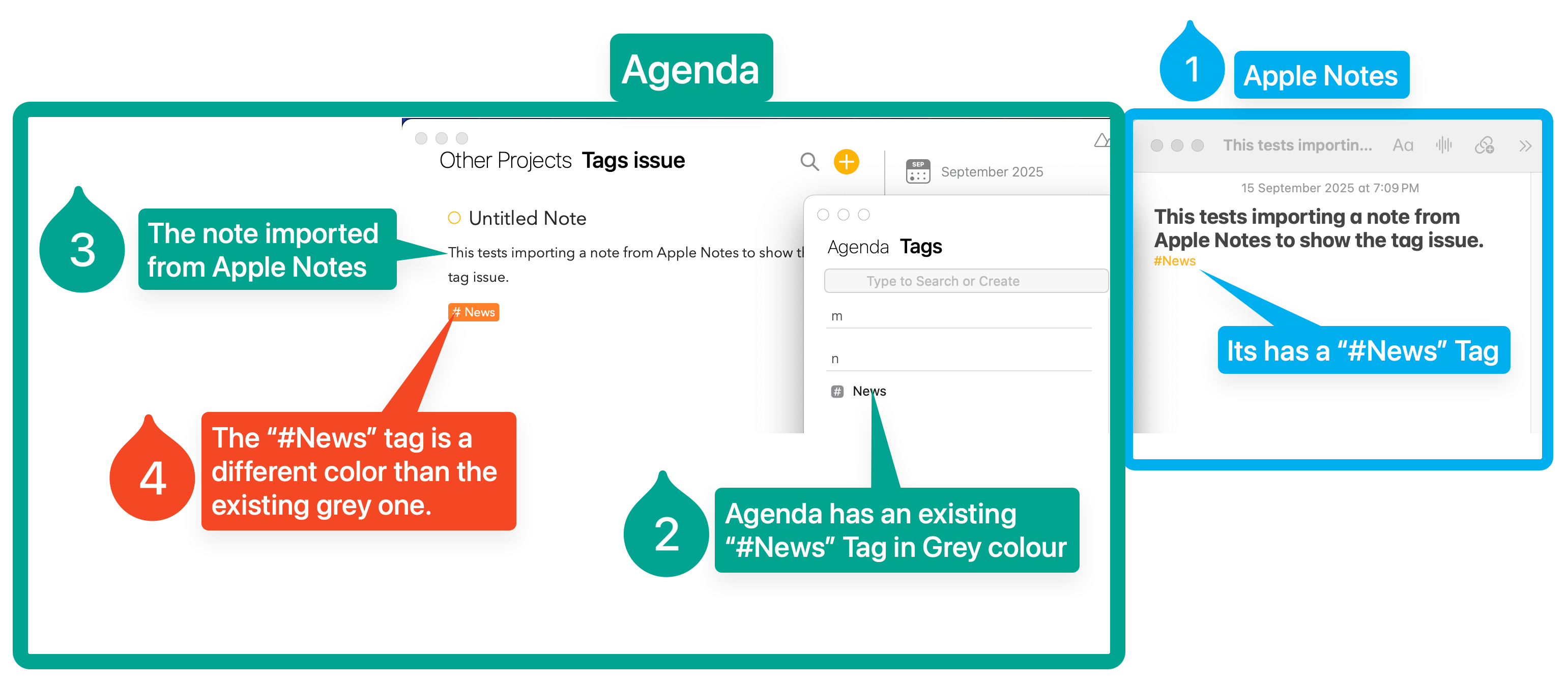
The second issue pertains to importing a Note from the Apple Notes app. The Tag that gets imported is always in orange, even if there is already a grey Tag with the same name in the Agenda app. Why does this happen? Does this mean I will end up with two identical Tags in different colors?
I think when you create a new tag, it defaults to the accent color of the app, by you can click on it and change the color, and when you use that same tag in future, I think it should use the color you chose. You can also edit the color I the tag browser.
The second issue pertains to importing a Note from the Apple Notes app. The Tag that gets imported is always in orange, even if there is already a grey Tag with the same name in the Agenda app.
I’m afraid the Apple Notes one is probably not fixable. I don’t think Apple exports the color information. We basically just get the text
I just did a bit of testing, and indeed, it seems that the tags just appear once in the browser if you give the same one different colors.
Here are some things that are useful:
Once you create a tag, and give it a color, if you make that tag again, it will be the same color
It is possible to override the color of a tag with the same name
You can make all the tags with a name use the same color by opening the tag browser and choosing a color there. They all should change to that
With these options, you don’t really need a default color for all tags. Make your new tag in a certain color, and after that, just add the tag with no color specified, and it will adopt the original color.
If you mess up, and accidentally end up with multiple colors, go to the tag browser and change the color there.
Eg. \tag(name: dog-time, color: green) and then #dog-time will give you two green tags.