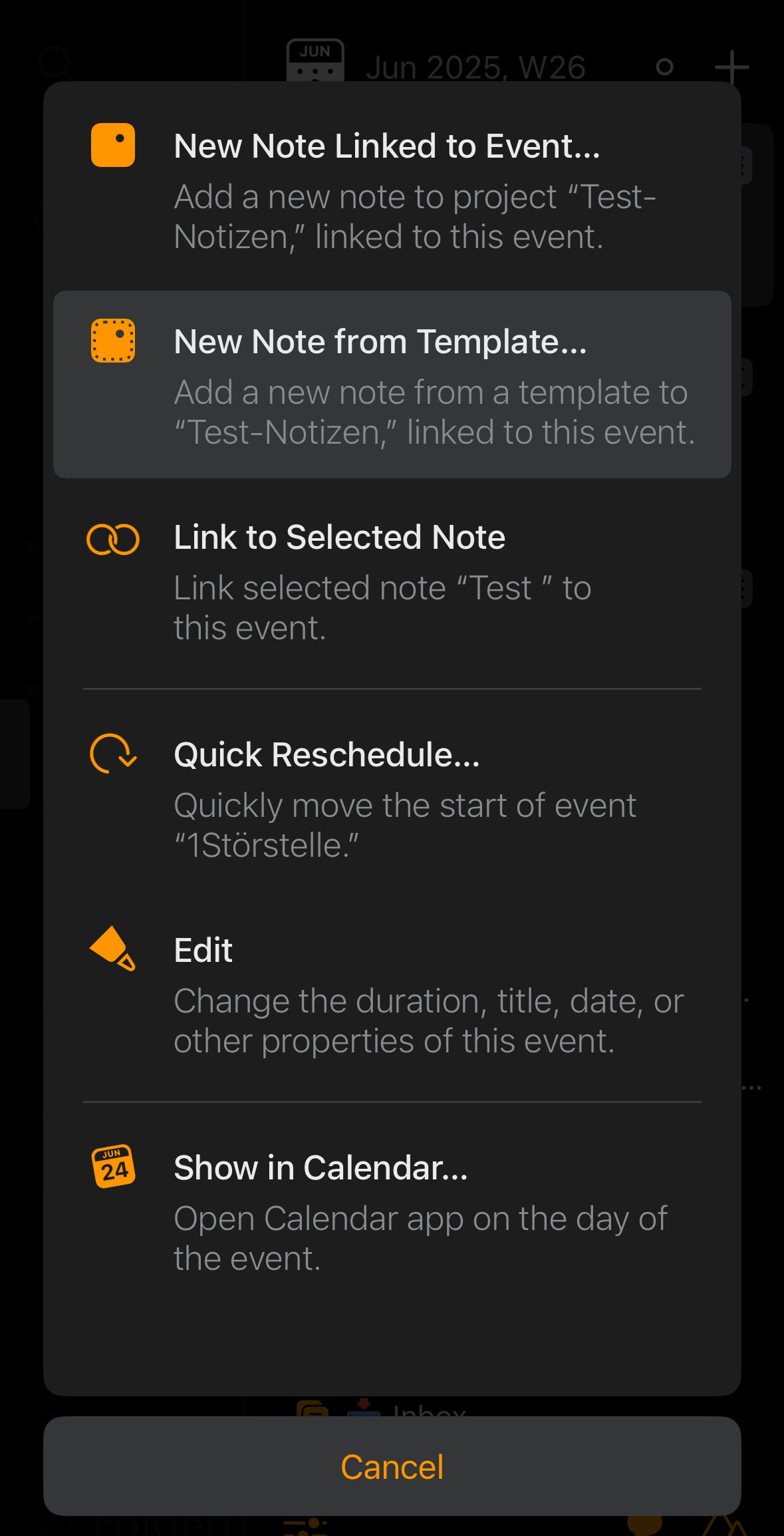
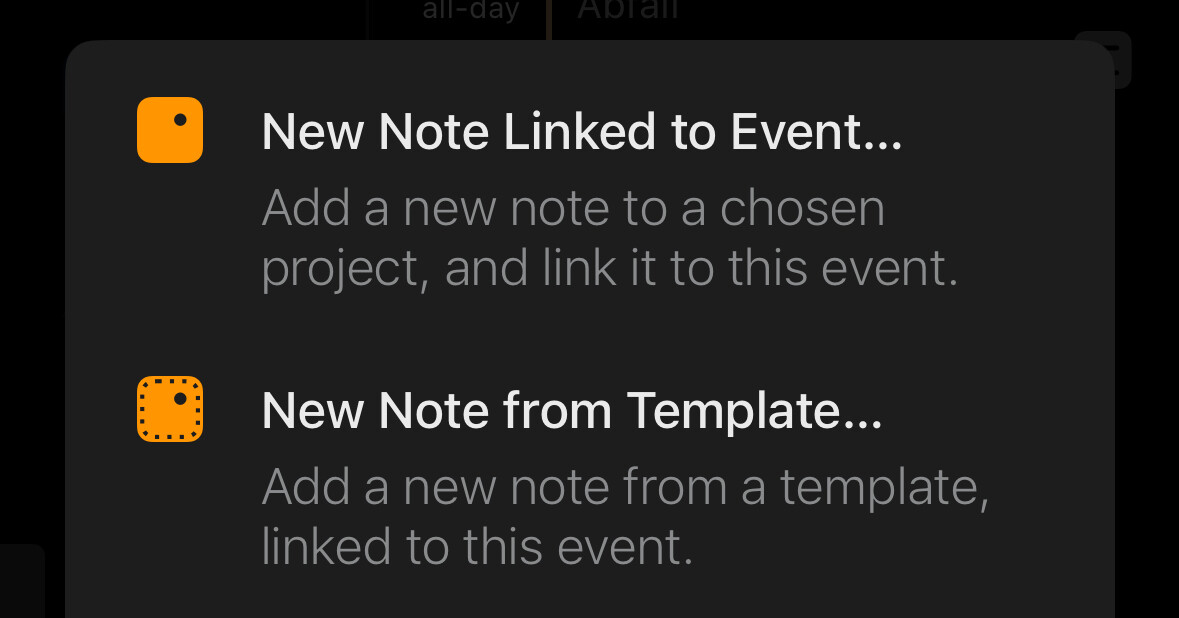
I’m prepping for several upcoming meetings. I’m scrolling through the Calendar sidebar, selecting the next meeting, clicking ‘new note linked to event’ - and then realising the note will not be created in the correct project, because the current note is one I created for another meeting!
So I have to abandon the note creation, navigate to the correct folder, and start again.
Would be really helpful to be able to select the project during the creation of the note.
Forgive me if this is obvious, but you can create the note anywhere and then move it to a different project afterwards. So at least you do not have to abandon the note creation.
I see where you are coming from but instead of adding more clutter the workaround @Pat_Maddox suggests is probably the more obvious to follow. We do have some ideas that fit both in the “preparation” scenario as well as in the flow of doing so in a single project before redistributing the created notes. Stay tuned!
If I understand what @mekentosj was referring to — it has been 5 1/2 years! — we haven’t gotten to those ‘ideas’. In the end they got less priority.
To be honest, I’m not sure they would have helped that much with this. Either way, you would have had to make the notes, and move them to the final location. So would not really gain in this instance.
I think the fix is pretty straightforward: you can hit undo to remove the new notes and then navigate to the correct project, or you can drag the new notes over there.
Not sure we could add much to help out. Yes, we could make you choose from a menu every time to pick a project, but that would make the standard path much less nice, just to avoid the niche path, if you see what I mean.
@trebso I have a similar situation in scheduling various items for the days ahead so I try to do the calendaring first from my “Daily” project. Some have existing notes some don’t. For the ones that don’t I create the event in Ag and immediately create a new note which picks up the name, date and time of the event and also updates it when I move them around. When I’m finished with the scheduling I add content to the linked notes and move them to where they belong with a link back to the daily. Everything, ideas, ‘don’t forgets’, tasks, todo, events, whatever, goes in the daily either as a stand alone or as a link to where it is. I’m now ~💯% date based.
I’m embarrassed to say I didn’t think of that! I’ve gone thru several system/workflow iterations for over a year since committing to the objective. Talk about wearing blinders. Thanks for the suggestion.
RE-WRITE
OOPS! I just tried the template way but no selection there either. @drewmccormack was correct. There is no magical method to create a new event note w/o the correct project being in focus or move it afterward. SO, I’m happy with my current flow of creating in my Daily project and moving it. The other thing mentioned that I also am not so fond of is the “New Note Linked to Event”. I still select it sometimes when I want to create a new note after the command.
Edit…!!!
This works, but only if you are not currently in a project but in the overview.
You are right, focusing on a project prevents selection.
I’m not sure if that was the intention. ?
But when I’m working in the Overviews or Smart Overviews area, it works very well.
In the template, the title can be taken from the event using \event-title. The link to the note in the calendar is also transferred, and the jump to the note works as expected. Everything else can certainly also be organized in the template using placeholders and text actions. I haven’t missed anything so far.
Yes, it is designed that way. Notice that if you click the + button in On the Agenda, you get a menu of projects, whereas if you do that in a project, it just creates a note immediately in the project.
The reason is simple: notes go in projects, and if you haven’t actively selected one, Agenda doesn’t know where you want the note. I think this is a good balance: most of the time you are working on some project, and it would be silly to make you go through an extra step to add a note. But we also don’t prevent you adding at a note at other times, we then just require you to clear up the ambiguity.
Thanks to all for picking this thread up with me after — as @drewmccormack notes — 5 and 1/2 years!
I’m glad to know that at least one other person has a similar flow to mine, @BruceN !
@Roms , I agree with you about starting from “On the Agenda” and using the template as a more seamless flow than moving the note after creation.
@drewmccormack , the only more concrete suggestion I have — and I fully accept that I don’t know enough to know if it’s even possible from the dev side — would be to give users the option to choose where we are taken after the creation of a new note. Right now, this is my flow (primarily on iOS): if I start in “On the Agenda,” I then swipe open the timeline from the right, tap an event, and select “New Note from Template.” I select template, then project (let’s use my project “AM” as our exemplar), and then I am looking at my new note in the new note’s project. So I have been brought (against my will lol) from “On the Agenda” to “AM.” When I am batch-creating event-linked notes, I then swipe from the left and navigate back to “On the Agenda” and repeat the process all over again.
It’s not the worst flow in the world by a long shot but it would be nice to have the option to stay where I started from after a new note has been created. Is that something that could be an option for users? An option in settings for something along the lines of “After a new note has been created: (A) View note in project OR (B) View note in On the Agenda”
No worries at all if not possible, just curious/would be nice.
Or my suggestion to let the user decide for themselves depending on the situation.
If I could make this decision in this menu, then the flow would not be lost.
So if I can summarize your biggest gripe, it is that when you create a note linked to an event, it doesn’t make any effort to preserve the sidebar selection. Would that be it?
If I understand, you would like it to keep On the Agenda selected when the new note ends up in On the Agenda. I guess there will always be overviews where the new note doesn’t belong and you are forced to the project, but in cases where On the Agenda contains the note, it should maintain that selection in the sidebar.


 ?
?