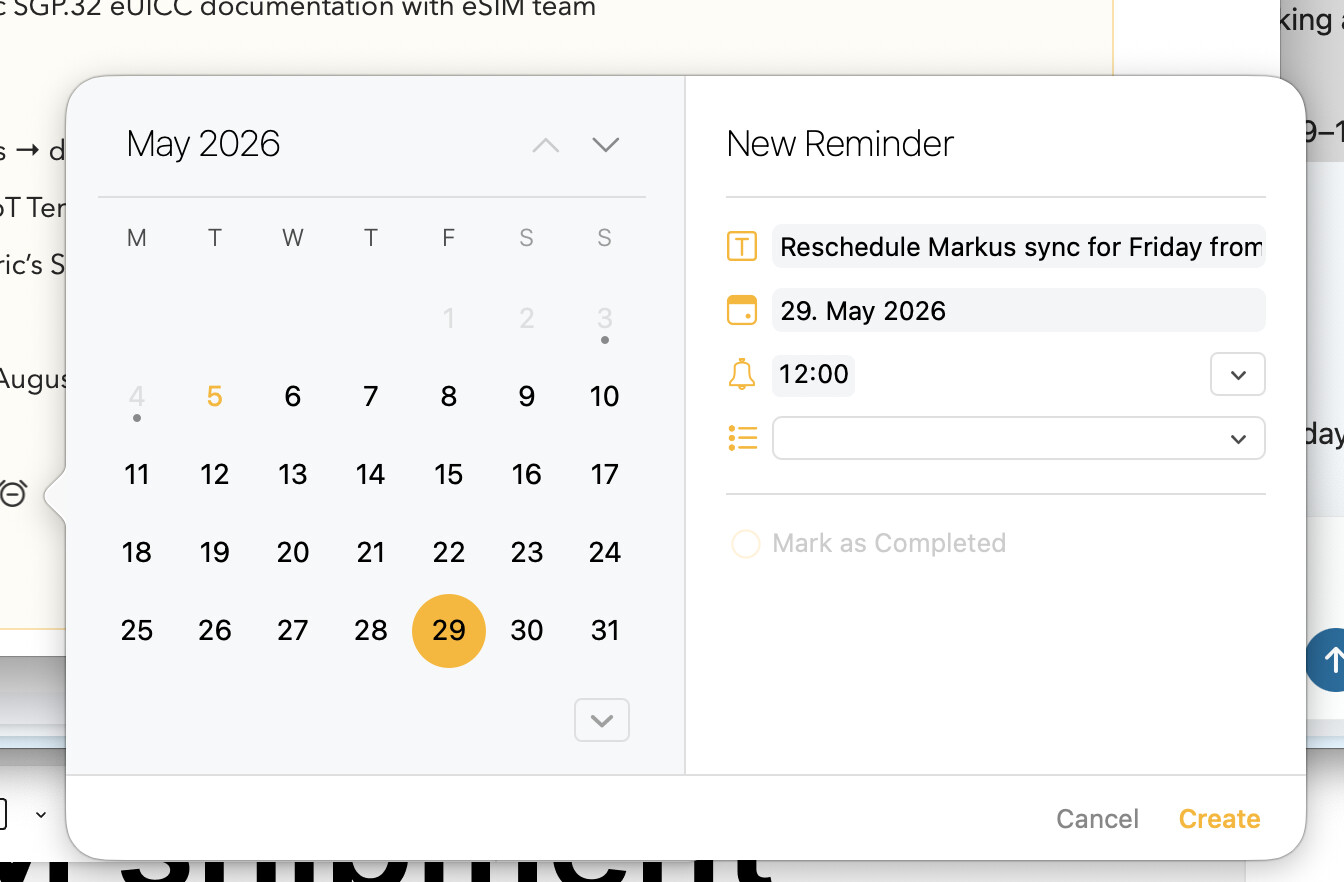
What I did: Created a Reminder and wanted to specify which list it should belong to
What happened: The list selection dropdown does not respond to a click
What I expected: I can select one list from my Reminders app
Things that might be helpful to know (Agenda version, OS and model, etc): Apple M3, MacOS Tahoe Version 26.3.1, Agenda version 22.3.1 (397)
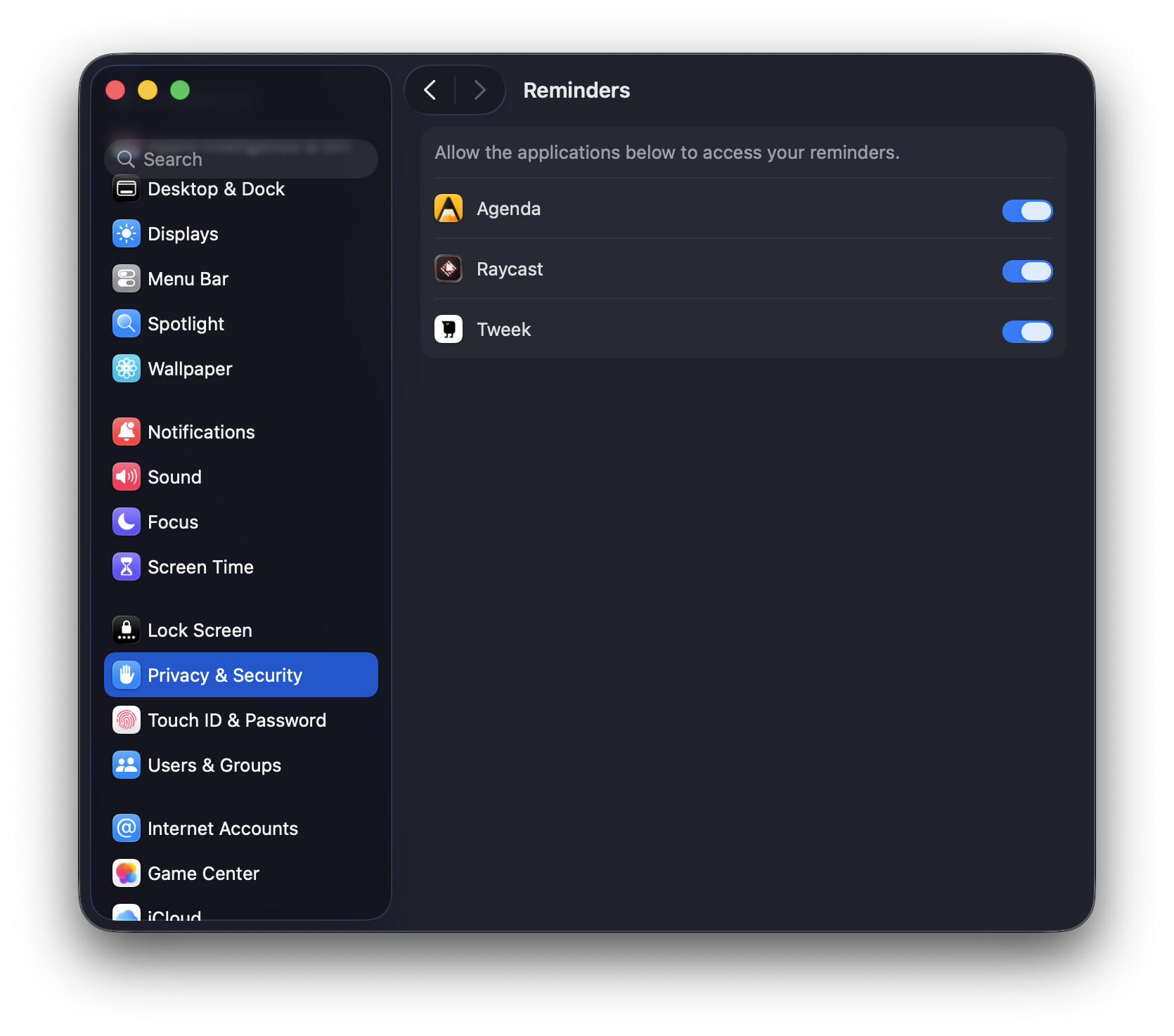
Thanks for reporting. Have you granted Agenda permission to access Reminders? You can check in System Settings > Privacy & Security > Reminders. If Agenda isn’t there or is off, that would explain the empty/unresponsive list.
If permission is already granted, could you try quitting and relaunching Agenda once to see if the list populates? Let me know either way.
Agenda has access to the Reminders app and the integration works, but it defaults to one list (Inbox in my case). Quitting and reopening Agenda doesn’t fix it. The list selection is still unresponsive.
Thanks for the follow up. That’s odd, the popup should list all your Reminders lists once permission is granted.
A few things to check:
-
Open Apple’s Reminders app and confirm the lists you expect actually appear there. Sometimes lists are tied to a specific account (iCloud vs On My Mac vs another provider).
-
Try clicking directly on the text “Inbox” in the popup, not near the edge.
-
If you have many lists, click and hold for a second to give the menu time to populate.
It may be worth toggling that checkbox you see in the screenshot. Ie turn off the Agenda access to Reminders, and then turn it back on again.
Could you also tell me which Reminders accounts you have set up on the Mac, and confirm the build number from Agenda > About Agenda? If 22.3.1 (397), it’s worth checking if there’s a newer build in the Mac App Store too.
Toggling the Agenda access checkbox to Reminders seems to have fixed it. Works as expected now.
Glad that sorted it. Toggling permissions is a useful trick when something Apple-side gets stuck. Thanks for letting me know.