What I did:
- Open the calendar in the timeline.
- Click the plus button and add a new event or a new quick reminder.
What happened:
The down arrow icons in the pop-up buttons are sometimes black and almost invisible on the dark interface.
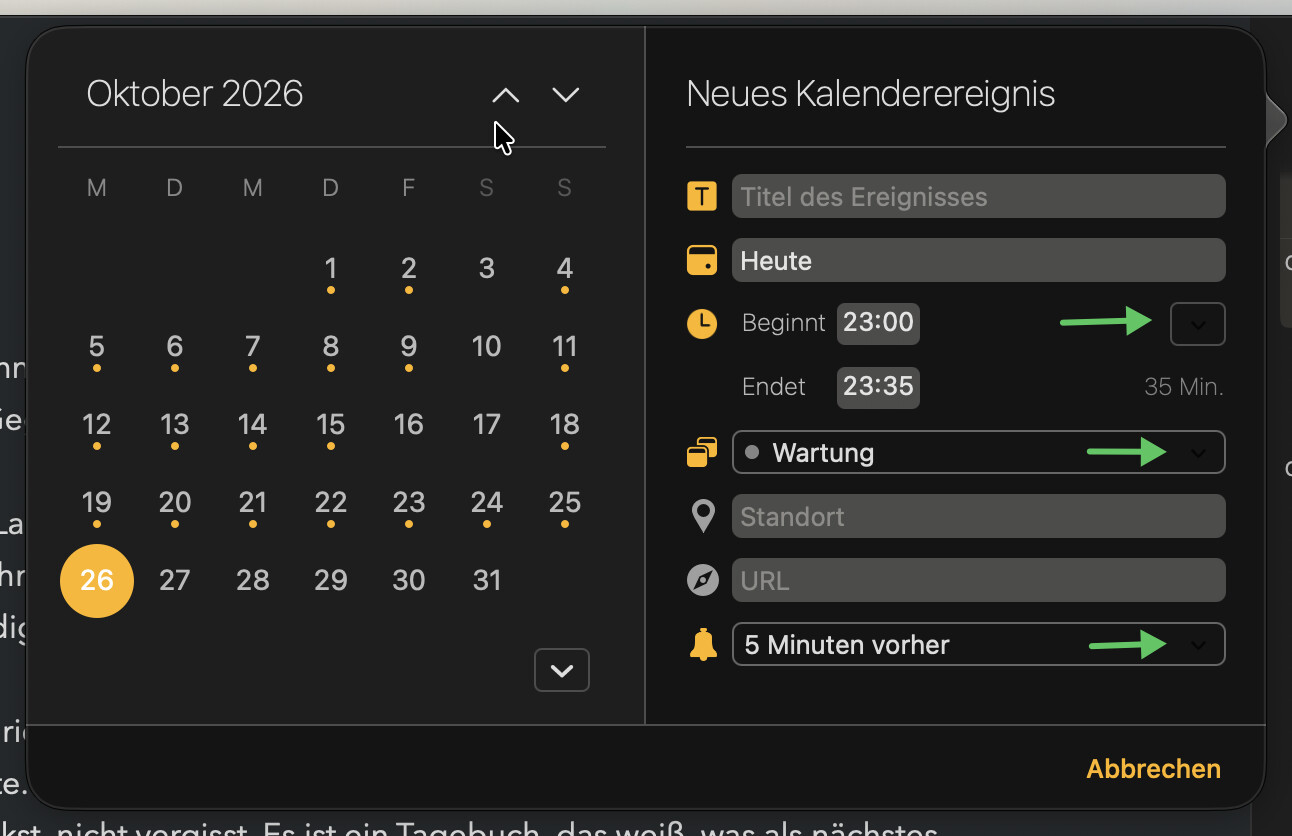
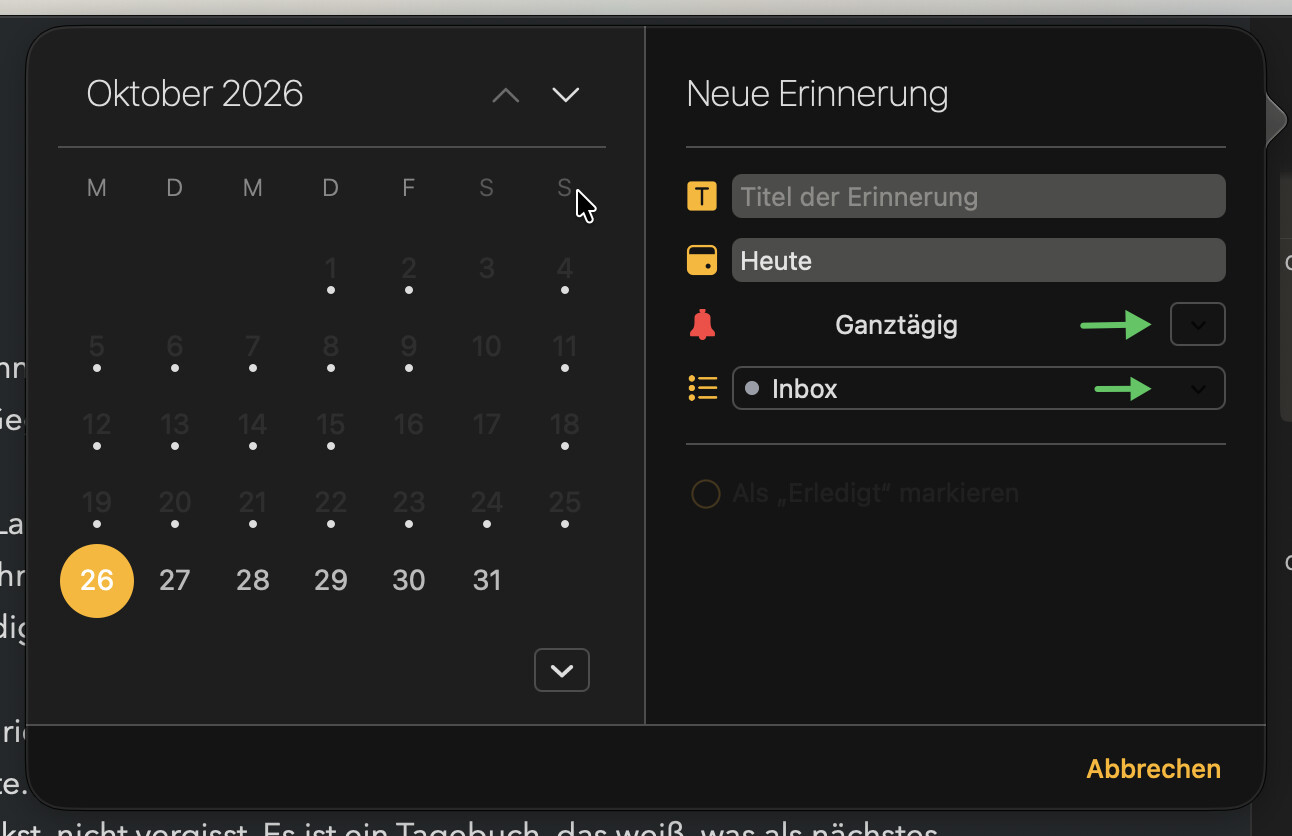
Restarting Agenda or briefly switching from “System” to “Light” and back in the settings resolves the issue. However, the bug sometimes returns. I haven’t identified a pattern yet.
What I expected:
These icons should always be visible.

Things that might be helpful to know (Agenda version, OS and model, etc):
V23.4.2 (435), MacOS 27.0.1
Appearance > User Interface: System