Agenda seems to assume that every Note has an outcome or action - it is either Done or Not Done.
Lots of my notes don’t have an action - a list of resources, a list of books by an author I’m collecting, some boilerplate text etc.
This is a problem when I’m trying to search for notes that I need to work on - ie Not Done.
I’d love to be able to mark Notes as “Not a Task” or similar, so they would be excluded when I search for Notes Not Marked As Done.
I suppose I could mark reference kinds of notes as a Footnote or a particular colour, and then exclude those from a search - but it makes searching more complicated, especially as searches can’t be edited. Even if they were, I’d still have to remember what meaning I’d assigned to a colour or footnote.
I think @trebso was referring to the options that pop up when you click on the dot to the left of the note title. The second option on the pop up menu is Mark as Done, meaning that notes only have 2 states: done or not done.
The issue is that every person has a different flag they want to have. We already have on-the-agenda, which corresponds to “currently relevant”, and “done”, which is a bit like archiving.
Your best bet IMHO is using tags. If you want a more advanced system, developer a few tags for it, and make a smart overview for the tags. Eg. #(Not Task) or #not-task
Thanks Drew, I suspected that would be your answer, and fair enough!
The problem with tags is they require one to actively add a tag to the note, and changing a tags status isn’t a simple click or tap. If nested tags could be shown as something like a dropdown menu that would be easier.
Also, the tag solution would be easier if saved overviews could be edited. I’m currently reluctant to use saved overviews because I have to start from scratch if I want to tweak them, and I can’t even see what they do if I’ve forgotten!
I know that feeling.
Smart overviews are incredibly powerful, but unfortunately, access to this very useful tool is heavily restricted. I often feel like I’ve gone a long way only to find myself standing in front of a locked door without a key. @drewmccormack I hope things will change soon and the door will be unlocked.
I’ve been asking for this for quite some time…and I’m not the only one.
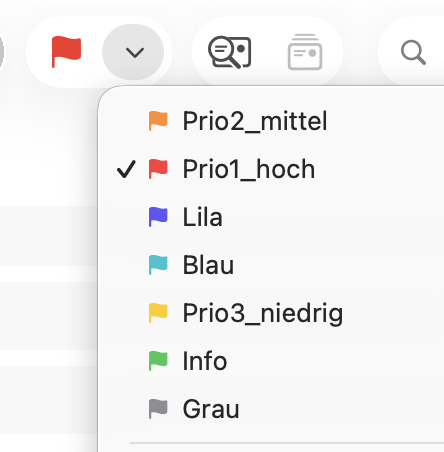
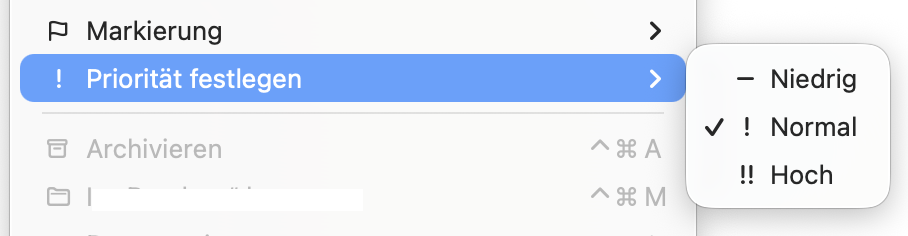
Maybe not quite as comprehensive, but Apple Mail basically points in the right direction: quickly mark a note with just one or two clicks and automatically assign it to a relevant Smart Overview. Everyone could then decide on and set up their own categories, such as Priority (high, medium, low), or categories like Personal, Work, Hobbies, Sports, etc.
Especially on the iPhone, a drop-down menu could save a lot of typing. This also applies to selecting tags.
I like this idea!
On editing smart overviews, I hear you. It’s a known pain point and on the list. Recreating from scratch isn’t ideal.
On custom flags at note level, it’s an interesting idea. Taking it along. One question: what would you expect to do with these flags? Do they just appear in the note somewhere? Do you want to filter/search on them (I guess so)? Anything else?
I occasionally have a similar circumstance and have for quite a while, the Word Perfect period. I can sometimes have 0-15 notes scattered around that are on-going or need editing. A link from each is pasted in its own new note inside a For Edit project where it’s treated like a journal/logbook. Only 1 For Edit note per project note. I use it for planning too. having a list of things todo or anything that one might want to use in the calendar. Anyway, just food for thought.
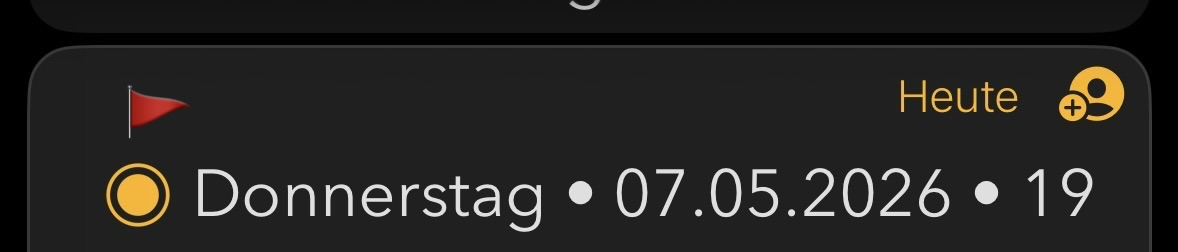
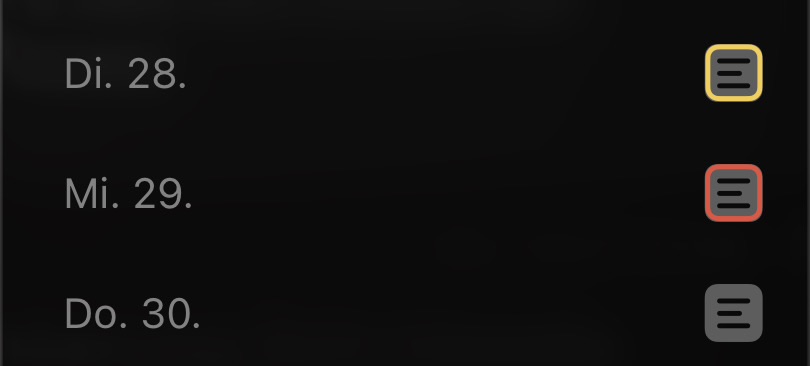
Thanks, that’s a really useful breakdown. Search, sort, filter, focus mode, text actions in templates and the inbox, plus visual marks in the note and in the timeline, and filtering for widgets. That gives a clear picture of what people would actually do with custom flags.
I’ll take all of that along when we look at it. I think only the display aspect is not possible with tags. What was the mark against just putting a tag in the note at the top or bottom? Too fiddly? Get no visual cue?
That’s a fair question. I think I know what you mean by that.
That’s all I can think of:
too fiddly
… particularly fiddly on the iPhone
… A pop-up menu for tags, allowing for quick selection and insertion, would be very useful here
no visual cue
… a tag is invisible when notes are collapsed or very long. No indication of tagged notes in the timeline.
Basically, the tags already do most of the job. Perhaps enhancing the haptic and visual feedback would take the tags to a whole new level. At the very least, specific tags such as Priority, Important, Due or Star should be made more tangible.
It doesn’t necessarily mean something new has to be developed.
Have to make a conscious decision and remember to add / type a tag to a note, whereas with a flag the default state is already set and you just choose whether to change it
Tags need typing or menu navigation, flag would be a simple click or tap
Psychologically a flag in the note title area or similar makes it clear that the flag applies to the note, whereas a tag in the body clearly applies to the paragraph