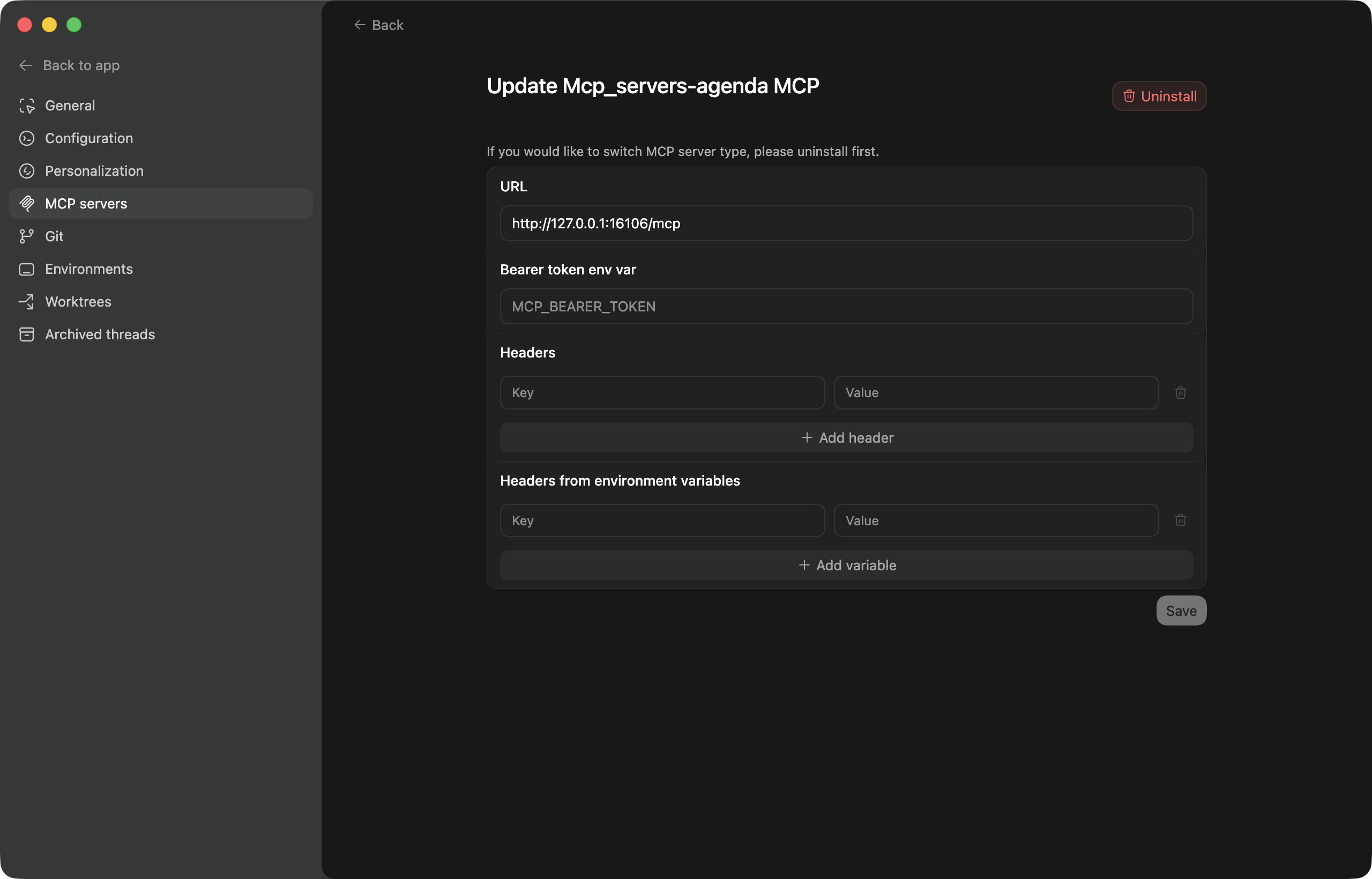
I used Codex App, configured it simply on the MCP Server, and it worked perfectly. It’s fantastic.
That’s what I thought with the German, thank you for the confirmation!
1 Like
It’s very odd that it is missing in German. Usually you would still see it, but perhaps in English, but odd for it to be missing entirely.
Will investigate.
1 Like
Found the issue. All non-English languages will not show the menu.
The fix is coming, but if you can’t wait, you can switch briefly to English, turn on the MCP Server, and switch back.
3 Likes

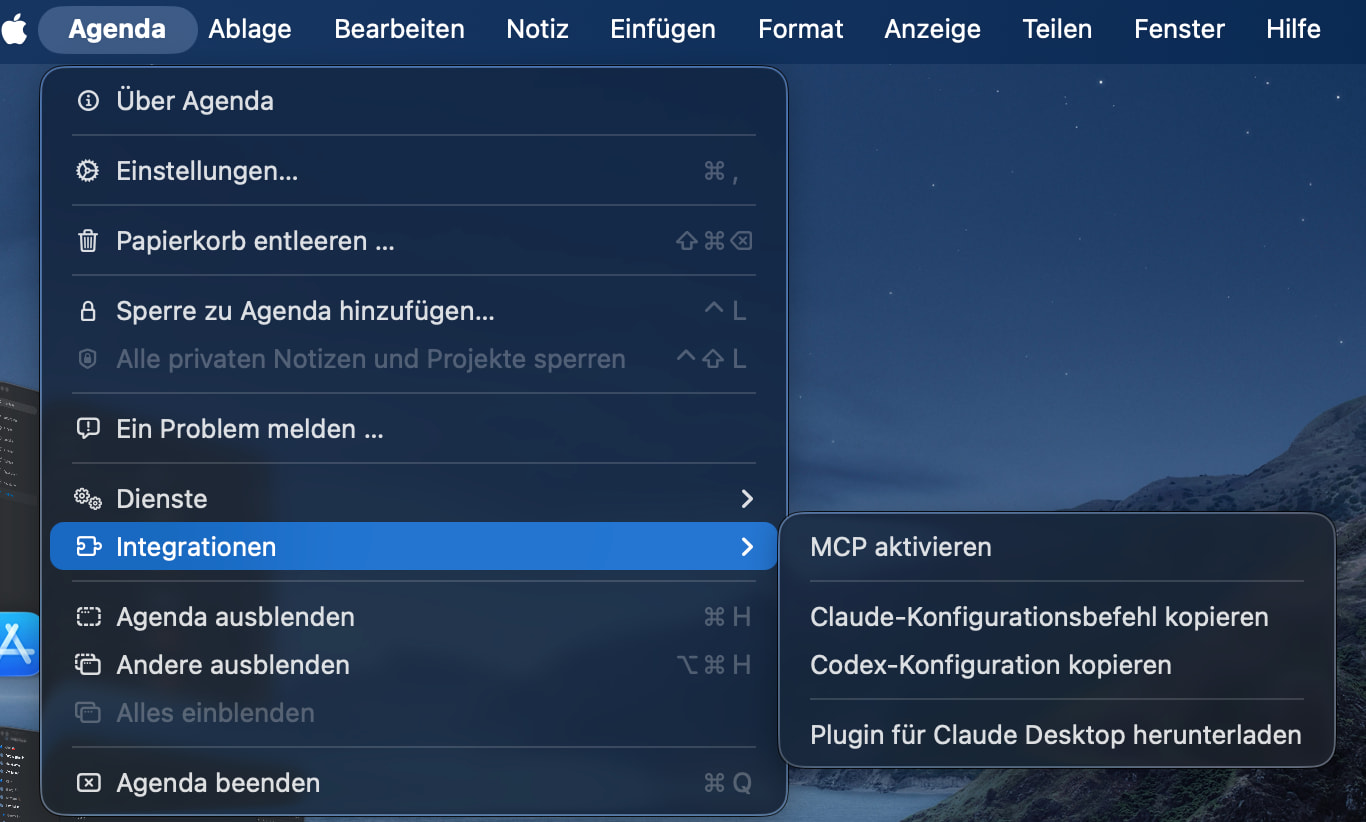
Looks good. Thanks!
1 Like
This is really cool, and was easy to get working in Codex
Is there a way for me to chat with Agenda from ChatGPT directly and not bounce over to Codex (which is a pain since it’s a separate app now). Any plan to create a “ChatGPT App” for this?
I’m not sure it is even possible. ChatGPT is a web app, and Agenda is on device. There is no data access in the cloud.
I think Codex is ChatGPTs local presence, so I think that is the best way to do it.
If you know of another app allowing ChatGPT use directly, which isn’t a web app (eg Notion), let me know. But I think it would be difficult to do.
The new Claude Desktop plugin works fine.
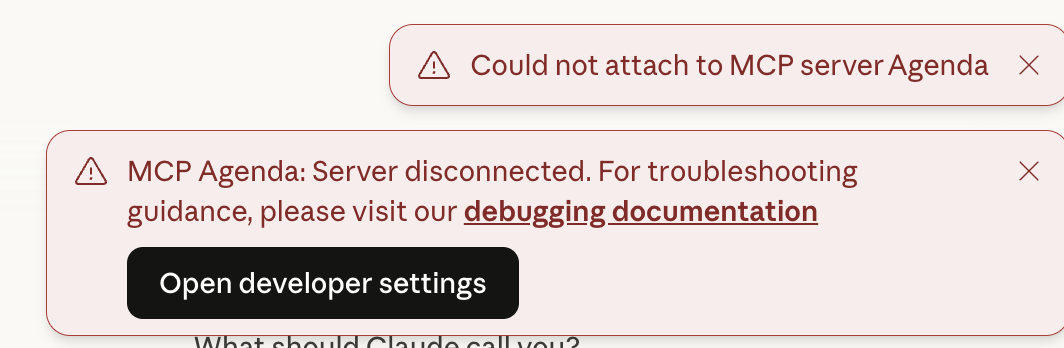
If Agenda isn’t running, Claude complains. I don’t see that problem with Claude and other MCPs.
1 Like
Yes, that is expected. Agenda has to be running to reply to claude. That’s by design.
Works wonderfully! Hooked it up to Cursor, using it to analyze and tag my inbox notes to put into respective buckets! Thank you!
Glad it’s useful!
Thanks for adding this feature! It’s been super useful as I used Codex to wire Agenda and Granola.ai together to move meeting notes over to my Agenda structures.
Glad it’s helping!
Would love more details on how you are doing this want to connect granola to agenda
It’s just a little server inside Agenda app, which you can access via localhost. I don’t know granola or how it works, but there should be a way to connect to it.
To get the configuration, use the Agenda > Integrations menu. You can copy one of the other configs and see the details of the server by pasting into a note.
If you point me to what granola expects, I may be able to suggest something.
My use is simple so it was fairly trivial to start a new Thread in Codex (this was also a test case for Codex’s agentic capabilities), connect Granola’s MCP server and Agenda’s MCP server to Codex, and then I worked with GPT-5.3-Codex to iterate on the approach to build a process to move notes over. Granola’s MCP Is still pretty limited, so Codex needed to iterate with me to get to the point that it’s repeatable. Now that it’s in that state, I’m going to have it turn it into code so I can just have it run on some periodic basis to sync for me.
This is very well done and the easiest implementation I’ve seen so far. I renewed my license because of it.
1 Like
Claude says it can’t edit the content of a note–only the properties. Is this correct?
noteId,title,startDate,endDate,clearDates,completed,footnote,onTheAgenda,pinnedThere’s no
textormarkdownparameter onedit_note. It only edits note properties, not body content. The body can only be set at creation (agenda_create_note) or added to at the end (agenda_append_to_note).
Correct. You can only append to a note.
The difficulty is that the content is very complex. It’s not just plain text or markdown. It has a lot of data related to tags and other things for sync.
For now you can just append to a note. If people would find it useful to perhaps insert sentences between other sentences, or replace a sentence, we could probably add those options.
1 Like