Pin to the top under "On the Agenda"

What I did: Pin the note

What happened: doesn’t move to the top in “on the agenda”

What I expected: Move it to the top

Things that might be helpful to know (Agenda version, OS and model, etc): MacOS. I see the earlier posting in 2020, but it seems like nothing happened to this issue.

Thanks for the report. Is your On the Agenda overview grouped, eg by project? The pin only applies in the natural order of the notes, so when an overview is grouped, a pinned note will not jump to the top.

If it is not grouped and the note still stays put, let us know and we will take a closer look.

If you tap on the project title at the top of the list of notes, and then the button top-left, you can change the grouping.

Drew,

Thank you!

Yes, the problem was grouping. I removed it by checking ungrouped, and the pin its working “On the Agenda.”

Thanks so much.

Since I have you I want to put another plug in for improving the search results. I really think that would make things so much better!

Ken

Glad that sorted it!

Can you be more explicit on search? What are you missing? Is it giving wrong results?

Yes,

Many searches I have I want to have tasks or items that specifically referring to the item at hand (whether they are tags or search words), but often I ended up with other items or spurious entries which makes it difficult to focus on what I really want. So, it’s really search results I would like to see improvement.

See below.

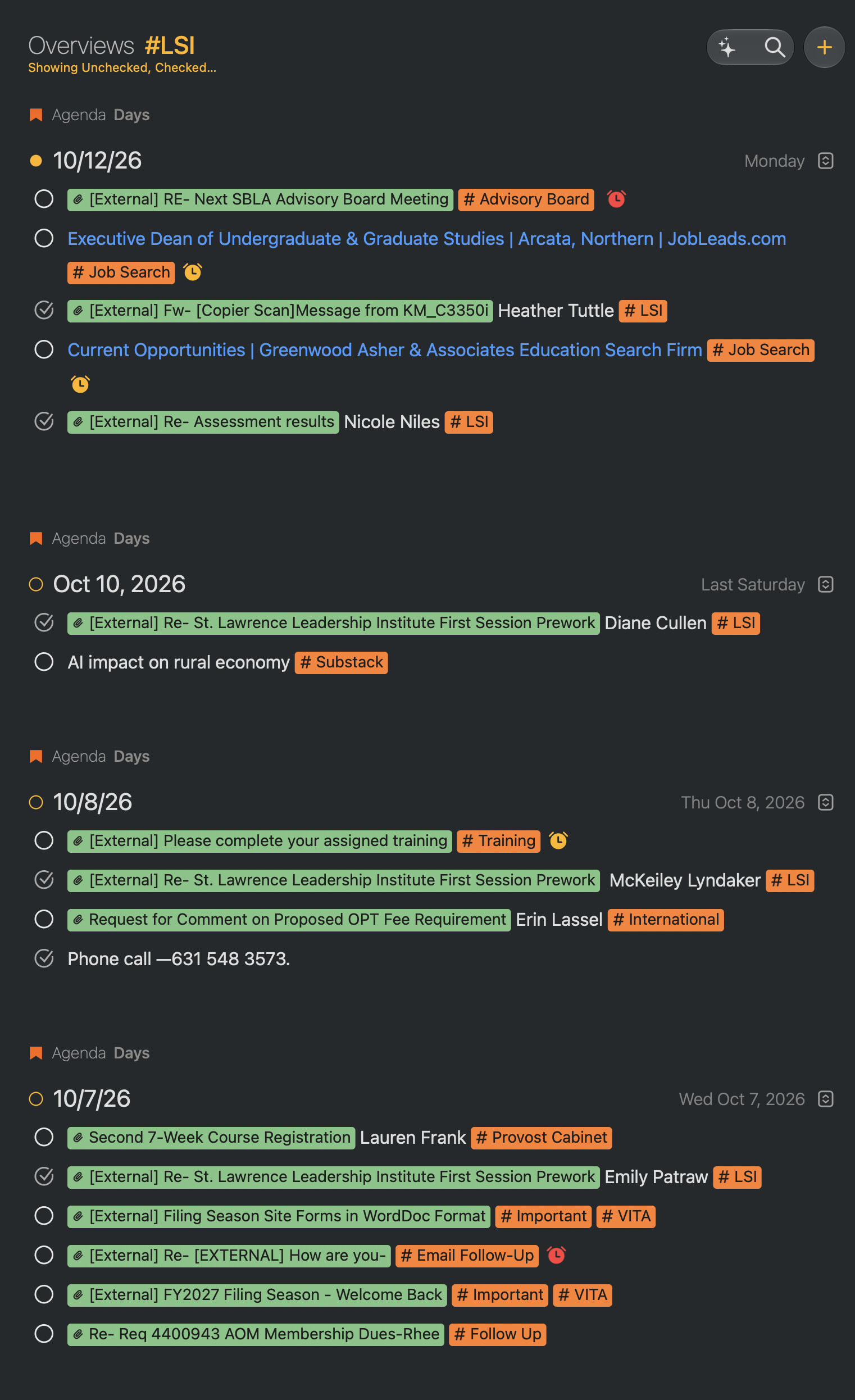
I’m searching to Tag “LSI” but the results are quite mixed.

I believe @drewmccormack will tell you it is doing what it is supposed to do. Each note contains the tag “LSI”.

Thanks, but this is not what I would like to see in the output.

I would like a list of all the items with the selected tag, nothing else.

Believe me when you have many items, I have to scan through everything, and it is both time consuming and distracting.

Can we just have the ability to search and list out the relevant items?

Thanks.

Ken

You can do that with the paragraph filter. Click on the project title at the top of the list of notes, then the button top-right in the popover.

Now, choose Tags… and then LSI. Untick the other options if you only want those. The overview then only shows the paragraphs that contain the tag.

Search finds the notes, and the paragraph filter decides which parts of those notes are shown.

Drew,

Thanks!

That seems to work, but I also just want to see unchecked items, and if I check that, I get mixed results again.

Ken

The filter options are combined with OR. So a paragraph shows if it has the tag, or if it is unchecked. That is why you get the mix. There isn’t a way to say “tagged AND unchecked” in the filter at the moment.

Thanks for the feedback. We’ll take it along.

Drew,

Thanks for confirming. Yes, I think advanced search where we have an option to use AND, OR, NOT would make the program lot more effective for me and others.
Much appreciated.

Ken